
So, you finally hit the PUBLISH button.
Your website is live. It looks really good. You are probably happy with the design. You sit back and wait. You wait for visitors to come. You wait for the phone to ring.
But… nothing happens! It is quiet. Too quiet.
Welcome to the “Ghost Town”. This is the hard truth. Most new websites get zero visitors. None.
Why? Because you think building the site is the main job. It is not. Building the site is just the start. It is just day one. Your developer built you a shop. But he did not build the roads.
And look, it is 2026 now. Things are changing fast. It’s an AI era. I am not talking about using cheap tricks or magic. That does not work.
I am talking about “Real SEO”.
You need to prove you are a real business. You need to make sure the machines can read your site. If you don’t do this, your new website will just sit there. Dead. Like a ghost town.
Don’t let that happen.
I will show you exactly what to do with using your WordPress website, including Rank Math too.
The Digital Handshake: Connecting to the Matrix
Okay, let’s fix the silence.
Right now, your website is floating in space. Google does not know it exists. Bing does not care. You are invisible.
You need to introduce yourself. I call this the “Digital Handshake”. You are basically walking up to the search engines and saying, “Hello, I am open for business.“
Here is how you do it.
First, set up Google Search Console.
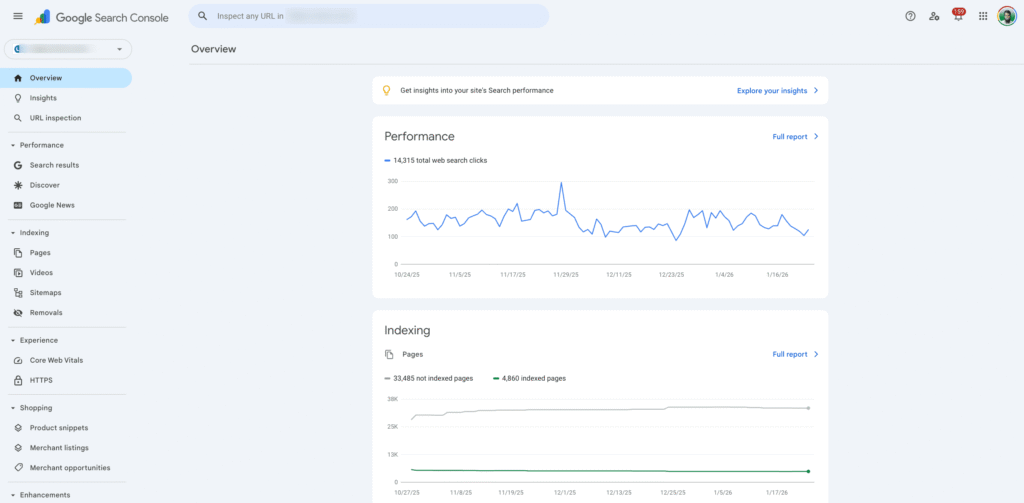
This is not optional. It is the most important tool you will ever use. Think of it like giving Google your phone number. If something goes wrong with your site, this is how they call you.
It tells you if Google can read your pages. It shows you what people are typing to find you.
And the best part? It is free. Go sign up. Verify your site. Do it now.
Second, get Google Analytics (GA).
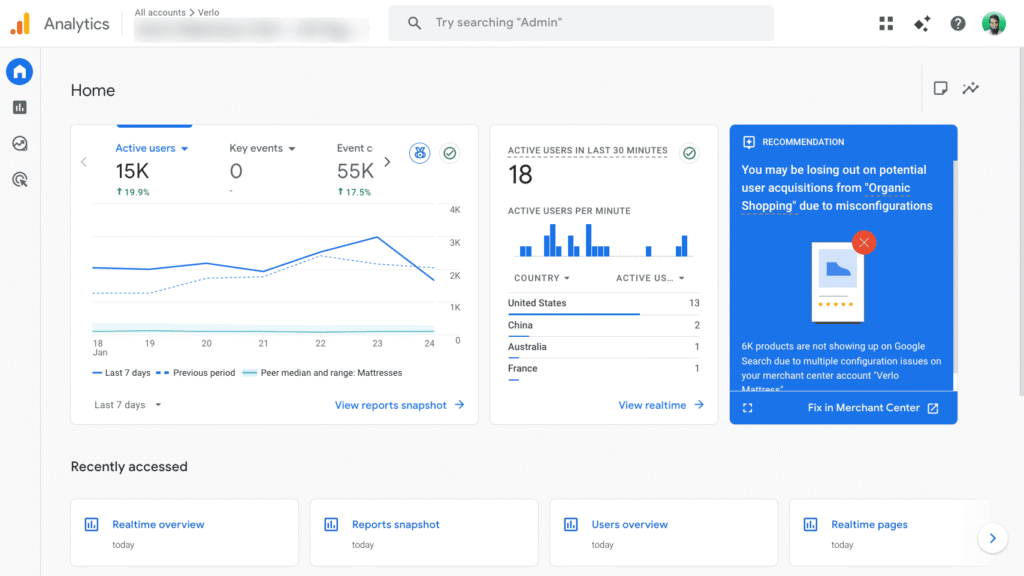
This one is a bit tricky, I know. The dashboard looks scary. But you need it.
Google Search Console tells you how people find you. Analytics tells you what they do when they get there.
Are they reading your stuff? Are they leaving after 5 seconds? If you don’t measure this, you are flying blind. You can’t grow if you don’t know your numbers.
Third, don’t ignore Bing. I can hear you laughing. “Who uses Bing?” I will tell you who. Robots!
ChatGPT and other AI tools often use Bing’s data to learn about the web.
If you want the AI bots to recommend you in 2026, you need to be on Bing Webmaster Tools. It takes five minutes. You can even import your settings from Google.
So, that is step one.
You have shaken hands with the big guys. Now let’s fix the engine under the hood.
The “SEO OS” Installation: Rank Math Configuration
Now we need to give your website a brain. My favorite.
WordPress is great, but out of the box, it is dumb. It doesn’t know how to talk to Google. It needs a translator.
In the old days, everyone used a plugin called Yoast. It was okay. But this is 2026. Things have changed.
I use Rank Math.
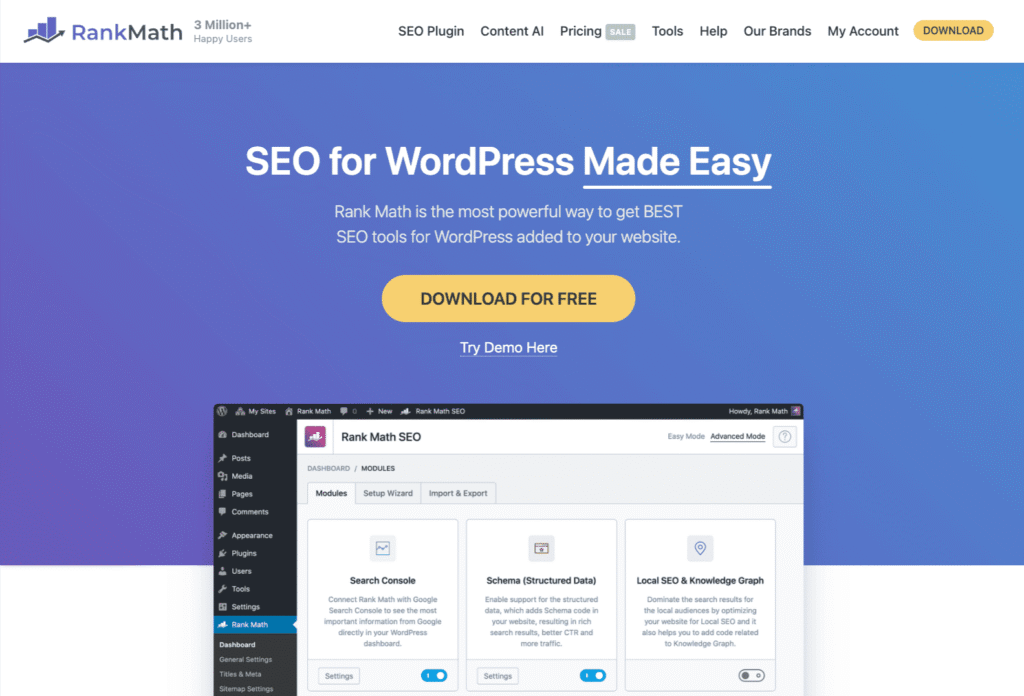
It is lighter, faster, and honestly, it just works better. Think of it as the Operating System for your SEO. Here is how you set it up properly.
First, install it.
Go to your plugin store. Search for “Rank Math“. Click install. It will ask you to connect your account. Just do it.
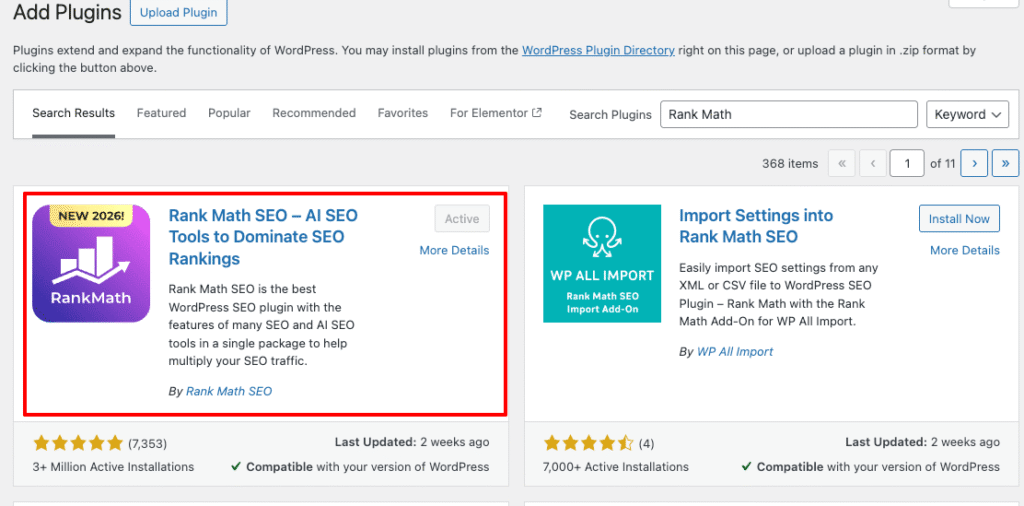
Second, switch to “Advanced Mode”. This is the secret sauce.
When you first open it, it might show you an “Easy” setup wizard. Don’t fall for it.
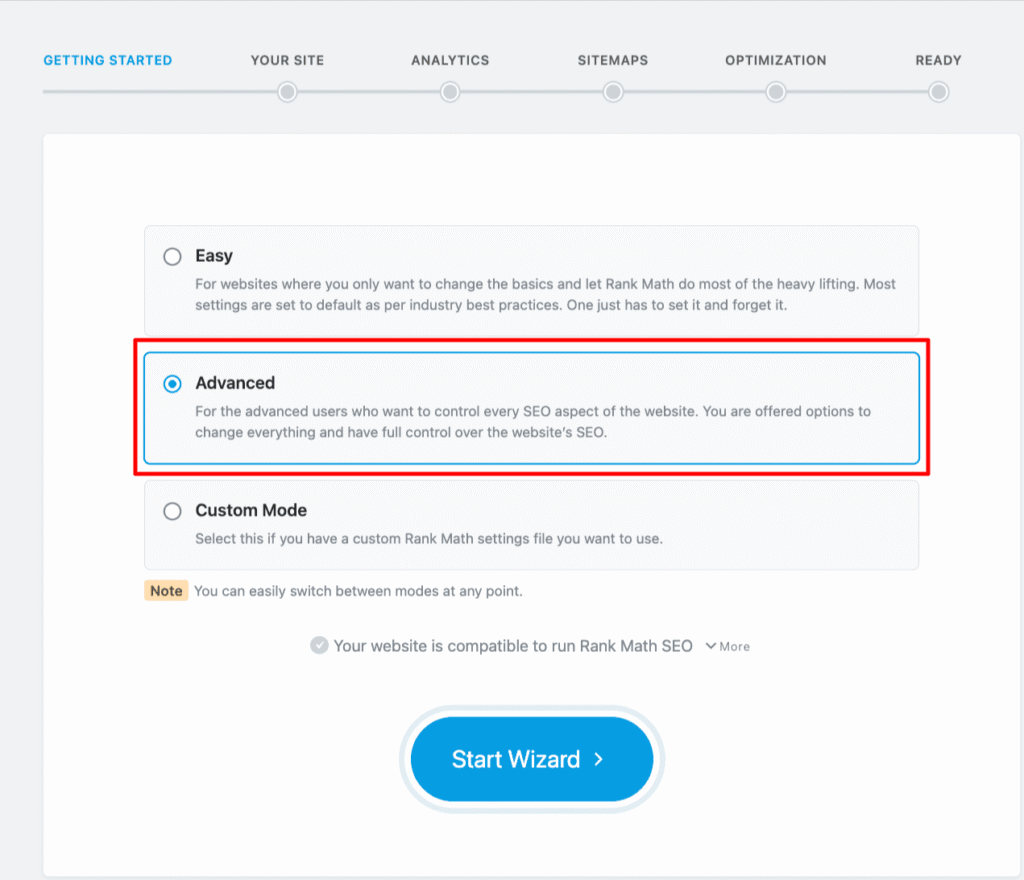
Look for the button that says Advanced Mode. Click it.
You want full control. You don’t want the plugin to guess for you. You want to tell it exactly what to do.
Third, clean up your Sitemap.
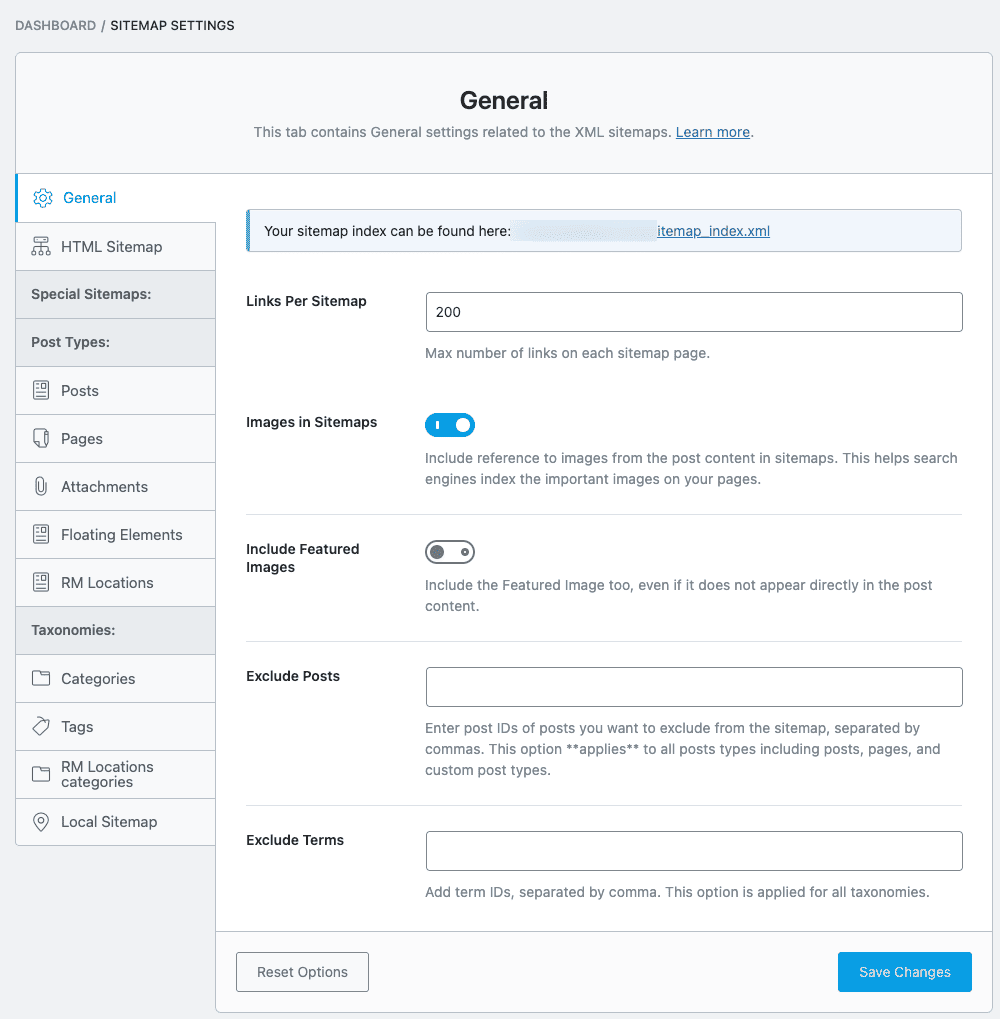
A sitemap is a map of your website for Google. But here is the mistake most people make. They show Google everything.
You do not want Google to see your “Thank You” page. You don’t want it to see your “Admin” login page. You don’t want it to see your “Media” attachment pages.
That is junk. It wastes Google’s time. In the Rank Math settings, go to Sitemap Settings.
Turn off “Media” sitemaps.
Turn off “Tags” if you don’t use them properly.
Only show Google the good stuff. Your pages. Your posts. Your products.
If you do this right, Google will respect your site. It will know you are a pro, not an amateur.
The “Trust” Protocol: Entity & E-E-A-T Setup
Okay, this part is huge. Right now, Google does not trust you. To Google, your new website looks like a scam. It looks like a fake site made by a robot.
You need to fix this. You need to prove you are a real person with a real business.
In SEO, we call this E-E-A-T. It stands for Experience, Expertise, Authoritativeness, and Trustworthiness.
But let’s keep it simple. It means, “Show me your ID card.”
Here is how you build trust;
First, fix your Legal Pages: Most people just copy-paste these. Don’t do that. You need a real Privacy Policy and Terms of Service.
Google reads these. If you don’t have them, Google thinks you are hiding something.
Put your real business address in the footer. Put your real phone number.
I help many clients verify their Wise and Stripe accounts. I tell them the same thing. You cannot hide. If you want to do business, you must be visible.
Second, make a real “About Us” page. Please, stop using stock photos.
You know the ones. People in suits shaking hands. Everyone looks too happy. Google knows those are fake. Put your photo on the page. Write your story.
Link to your real LinkedIn profile. Link to your Facebook. Show Google that there is a human behind the screen.
Third, verify your “Entity”: This sounds fancy, but it is simple. Create a Google Business Profile if you have a local shop.
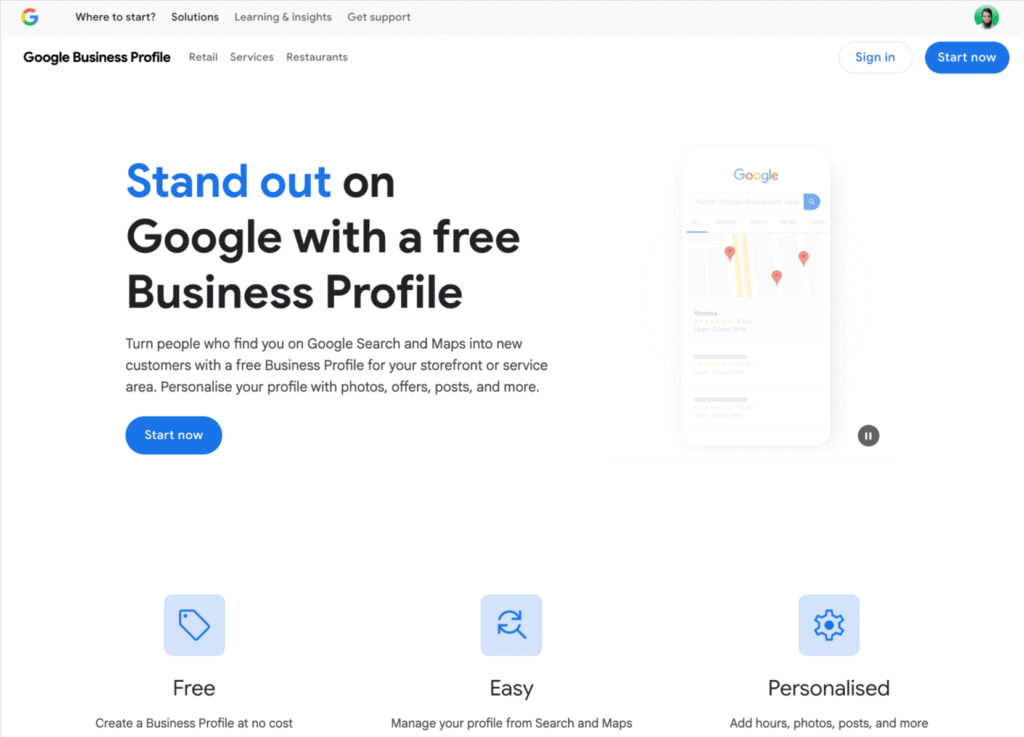
Create a Crunchbase profile. Get your social media profiles set up with the same name and logo.
You are connecting the dots. You are telling Google, “See? I am real. I am here to stay.“
If you skip this, you can write the best articles in the world, but you will not rank. Google does not rank ghosts. It ranks real businesses.
Technical Hygiene: Speed & Core Web Vitals
Okay, let’s talk about speed. This is where most new websites fail. You upload a big, beautiful image. It looks great on your laptop.
But on a phone? It takes 10 seconds to load.
Guess what? The visitor is already gone.
If your site takes more than 3 seconds to load, half of your visitors will leave. They just click “back” and go to your competitor.
Google sees this. If people leave your site fast, Google thinks your site is bad. So, you need to keep it clean. I call this “Technical Hygiene“.
First, fix your images.
This is the number one problem I see. Don’t just upload the photo straight from your camera. It is too big.
You need to compress it. You need to use a format called WebP. It looks the same but loads much faster.
Some image compression tools are below:
- TinyPNG
- Squoosh
- Optimizilla
- iLoveIMG
There are free plugins that do this automatically. Use them.
Second, get a Caching Plugin. I know “caching” sounds technical.
Just think of it like this: It makes a copy of your page so the server doesn’t have to build it from scratch every time.
I wrote a whole guide comparing the best free and paid caching plugins on my blog.1 Go read it. You need one of these installed today.
Third, check your “Core Web Vitals”. This is Google’s report card for your speed.
Don’t just look at your site on your fast WiFi at home. Turn off your WiFi. Use your phone data. Load your site. Does the text jump around? Is the button hard to click?
If it feels slow to you, it feels slow to Google. A fast site makes money. A slow site makes excuses.
The “Language of Machines”: Schema Markup
Okay, listen closely. This part sounds scary “Schema Markup”. It sounds like code. It is code. But don’t panic. You don’t have to write it.
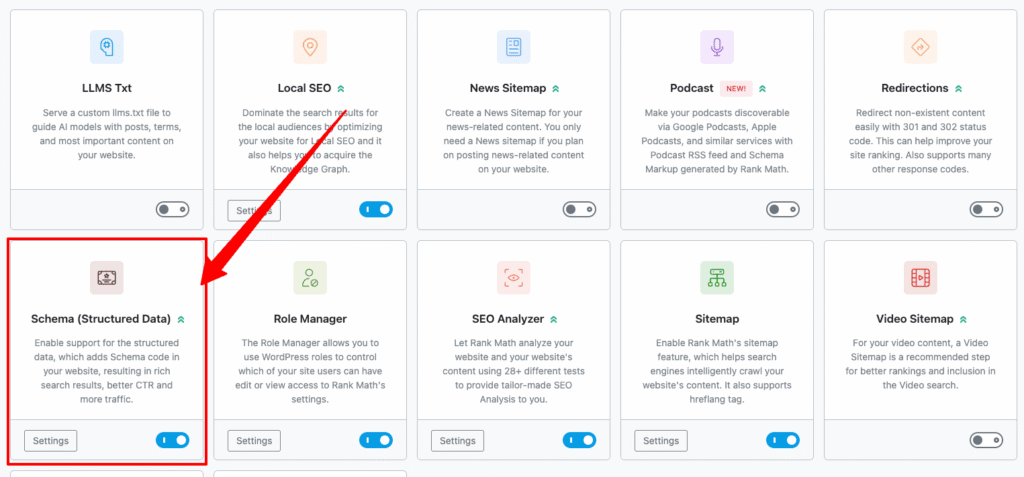
Rank Math is here to simplify the process of implementing any type of Schema for you.
Here is the thing.
Google is a robot. It is smart, but it is still a robot. When it looks at your website, it sees words. It does not really understand context.
It sees “$50”. It doesn’t know if that is a price, a size, or a discount. You need to tell it.
You need to put a label on that number that says: “Hey Google, this is the Price.”
This labeling system is called Schema.
If you don’t use it, Google has to guess. And Google hates guessing. How do you do it?
In the old days, you had to hire a developer. Now, you just use Rank Math.
This is why I told you to install it earlier. Go to your page settings. Look for the “Schema” tab.
- If you wrote an article, tell Rank Math it is an Article.
- If you are selling a shoe, tell Rank Math it is a Product.
- If you are a local shop, tell Rank Math you are a Local Business.
Why does this matter?
Have you ever searched for a recipe and seen the star rating right there in Google?
Or searched for a product and seen the price and “In Stock” green text?
That is Schema.
It makes your website look bigger and better in the search results.
Even if you are not number one, people will click on you because you look more trusted.
It is like wearing a suit to a job interview instead of pajamas. So, spend five minutes. Tag your content.
Speak the robot’s language, and the robot will reward you.
The “Beast Mode” Content Strategy
Okay, this is the fun part. I call this “Beast Mode”.
You have a website now. It is fast. It is technical.
But it is empty.
An empty shop sells nothing. You need products on the shelves. In SEO, your content is your product. Most people make a big mistake here.
They write one blog post. Then they wait two weeks. Then they write another one about a totally different topic.
That is too slow. And it confuses Google. You need to attack.
Here is the plan.
First, stop writing random stuff. I see this all the time. One day you write about “pizza”. The next day you write about “shoes”.
Google gets confused. It asks, “Is this a food site or a fashion site?”
You need Topic Clusters. Pick one topic. Just one.
If you are a plumber, write the “Ultimate Guide to Plumbing”. Then write 5 more articles about “leaky taps”, “clogged drains”, and “shower heads”.
Link them all together. Own that topic. Be the master of it.
Second, you need speed. A new website is like a sleeping baby. You need to wake it up. If you publish once a month, Google will visit you once a month. That is too slow.
You need Content Velocity. For the first 30 days, go crazy. Publish every few days. Show Google that you are alive. Show them you have energy.
When you push a lot of content fast, Google starts trusting you faster.
Third, build a “Spiderweb”. This is simple. Never publish a page that does not link to another page.
If you write about “drains”, put a link in it to your “leaky taps” article.
Make a web. If the Google bot comes to one page, it should easily find the next one.
If you don’t link them, you are building dead ends. Don’t build dead ends.
Local Presence: The “Near Me” Domination (Optional but Recommended)
Okay, this section is for you if you have a real shop. Or an office where people come to visit. If you only work online from your bedroom, you can maybe skip this.
But if you want local customers, pay attention. I call this the “Near Me” domination.
You know when you search for “best pizza near me”? You want to be the answer to that question.
First, claim your territory.
You need a Google Business Profile. It used to be called Google My Business.
It is free. Go get it. Fill out everything. I mean everything.
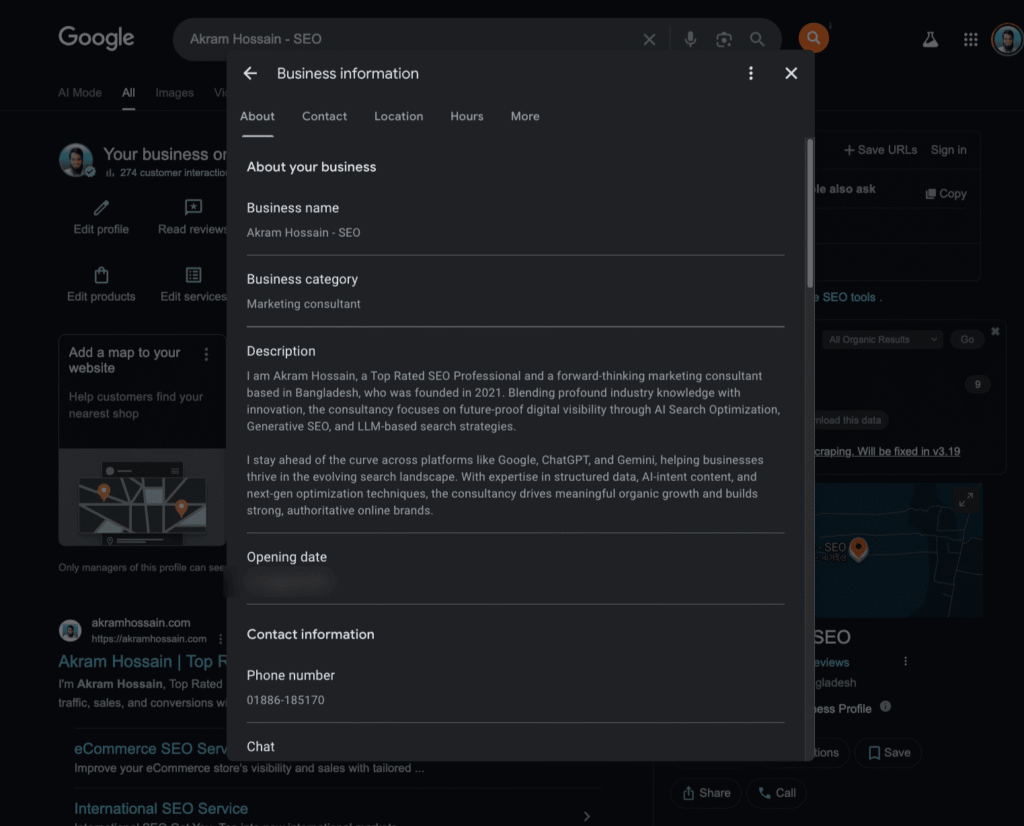
Your hours. Your photos. Your services.
If you leave it blank, your competitor will win. It is that simple.
Second, watch your “NAP”.
This stands for Name, Address, Phone. This sounds small, but it kills rankings.
Look at your website footer. Does it say “Road 5”? Now look at your Google Map listing. Does it say “Rd 5”?
Make them match. Exactly. If they are different, Google gets confused. When Google is confused, it does not trust you.
And we already know what happens when Google does not trust you. You stay invisible.
Third, feed the AI.
In 2026, people don’t just type. They talk to their phones.
They ask, “Who is the best plumber in Kishoreganj open right now?”
The AI looks at your reviews. It looks at your description.
Use “Rank Math AI” to write a description that answers these questions. Don’t just write “We do plumbing”.
Write “Emergency plumber in Kishoreganj available 24 hours”. Be specific. Tell the robot exactly who you are so it can tell the humans.
The Conversion Layer: Don’t Just Rank, Sell
Let’s talk about money.
Ranking number one on Google is cool. It feels good. But you cannot pay your rent with rankings. You pay rent with money.
This is the biggest trap.
I see people get 10,000 visitors a month. But they make zero sales.
Why? Because they forgot the Conversion Layer. They built a library, not a business.
Here is how you fix it:
First, give every page a job.
Don’t just write a blog post and stop. What do you want the reader to do?
Do you want them to call you? Do you want them to buy a shoe? Do you want their email address?
Tell them.
Put a big button on the page. We call this a CTA (Call to Action). If you don’t ask, they won’t do it.
Second, fix your shop pages.
If you use WooCommerce, listen to me.
Most product pages are lazy. They just have a photo and a price. That is boring. Google hates boring.
You need to write real descriptions.
And you need to use Product Schema. This shows your price and “In Stock” status right in the Google results.
I wrote a full guide on how to get “10X Sales” with WooCommerce. Go read it. It works.
Third, think about SXO. This stands for Search Experience Optimization.
It means, “Don’t annoy your visitors.” If your website has pop-ups everywhere, people will leave.
If the text is too small, people will leave. When people leave fast, Google thinks your site is bad. And then your rankings drop.
So, remember this.
Traffic is vanity. Sales are sanity. Don’t just be a destination. Be a solution.
The Safety Net: Security & Backups
It’s protection time! This part is boring. I know. But it saves your life.
Imagine you work on your website for weeks. You write great articles. You fix the design.
Then you install one bad plugin.
Poof.
The screen goes white. Everything is gone.
I have seen grown men cry because of this. Really.
You need a safety net.
First, look for the Secured Sign.
Look at the top of your browser. Do you see a little toggle icon? Does it say HTTPS?
If it says “Not Secure“, you have a big problem.
Google hates insecure sites. It tells visitors to run away. Ask your hosting company to fix this. It is usually free. Don’t let them charge you for it.
Second, get an “Undo” button.
Websites break. It happens to everyone. You change a setting, and the whole site crashes.
You need a backup.
Do not trust your hosting company to do this. They often forget.
Install a simple plugin. I like UpdraftPlus.
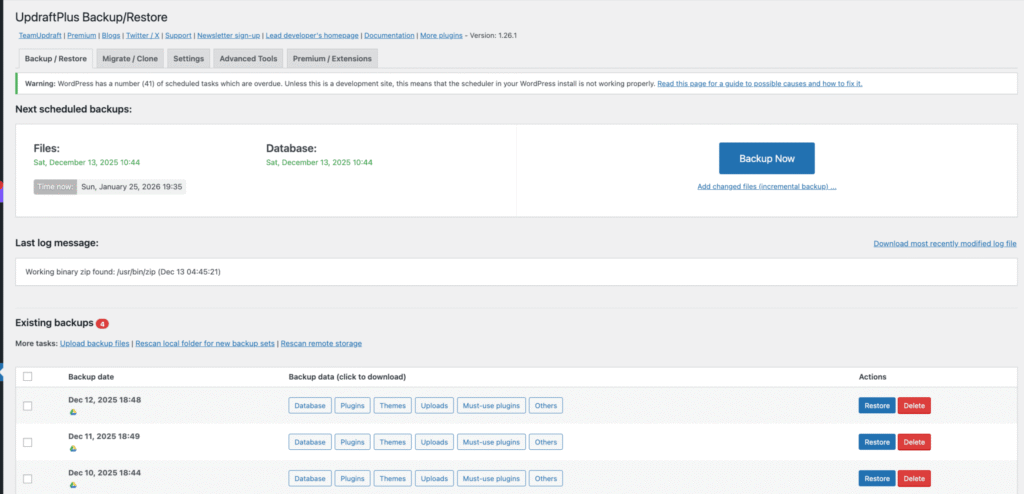
It sends a copy of your site to your Google Drive every week. If things break, you click one button. The site comes back. It is magic.
Third, block the bad guys.
The internet is full of bad robots. They try to guess your password. They try to steal your text. You need a security guard.
I use Cloudflare. It is free.
It stands in front of your website. It stops the bad bots before they get in. It also makes your site faster.
So, lock your door. Keep a spare key. You will sleep better.
Conclusion: The “Real SEO” Timeline
So, this is it.
We are at the end of the guide. But for you, this is just day one.
I want to be honest with you. I don’t want you to be disappointed.
You can do everything on this list today. You can fix the speed. You can write the best content. You can set up the schema.
But tomorrow morning, you will check Google.
And you will not see your website at the top.
Do not panic. This is normal.
We call this the “Sandbox”.
Google is testing you. It is like a new job. They don’t give you the keys to the building on the first day. They watch you. They want to see if you show up every day.
Most website owners quit after two months. They say “SEO is dead” because they didn’t get rich in 30 days.
Don’t be like them.
Here is the real timeline:
- Month 1: You build the foundation. Google starts to crawl your site.
- Month 3: You might see your first few clicks.
- Month 6: This is when the magic starts. The traffic begins to grow.
“Real SEO” is not like a haircut. You don’t walk out looking different instantly.
It is like going to the gym. You have to lift heavy weights for months before you see muscles.
So, stick to the routine.
Check your site every month. Fix the broken links.
If you don’t know how to check your health, read my guide on SEO Audits. It will help you spot problems early.
If this feels like too much work, I understand.
You have a business to run. You don’t have time to talk to robots all day.
If you get stuck, or if you just want someone to handle the heavy lifting, let me know.
I can help you build this foundation so you can focus on your customers.
Now, stop reading. Go get to work. Your traffic is waiting.