Google won’t tell you which searches came from AI. But it leaves a clue, and the clue is length.
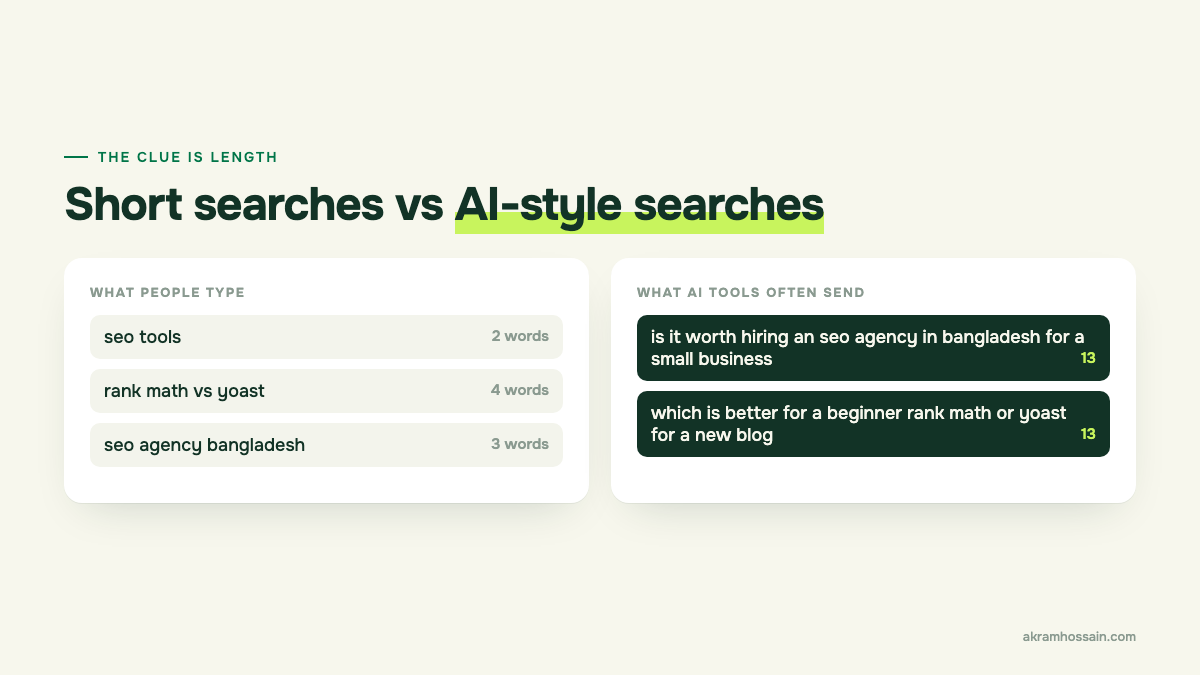
People type short things into Google, like “seo tools” or “rank math vs yoast”. When someone asks ChatGPT or Google’s AI Mode a question, the search often looks very different: a full sentence of eight, ten or fifteen words. Some of those long searches end up in your own Search Console data. Most site owners never look at them.
I looked. On my own site I found 30 of these long searches, shown 97 times and clicked zero times. On an industrial real estate site I work on, the same check found more than 1,000 of them. In this post I’ll give you the one-line regex I use, show you two ways to run it (one in Search Console and one right on Rank Math‘s own data), and then walk you through how I fix those pages with Rank Math.
What counts as an “AI search query”?
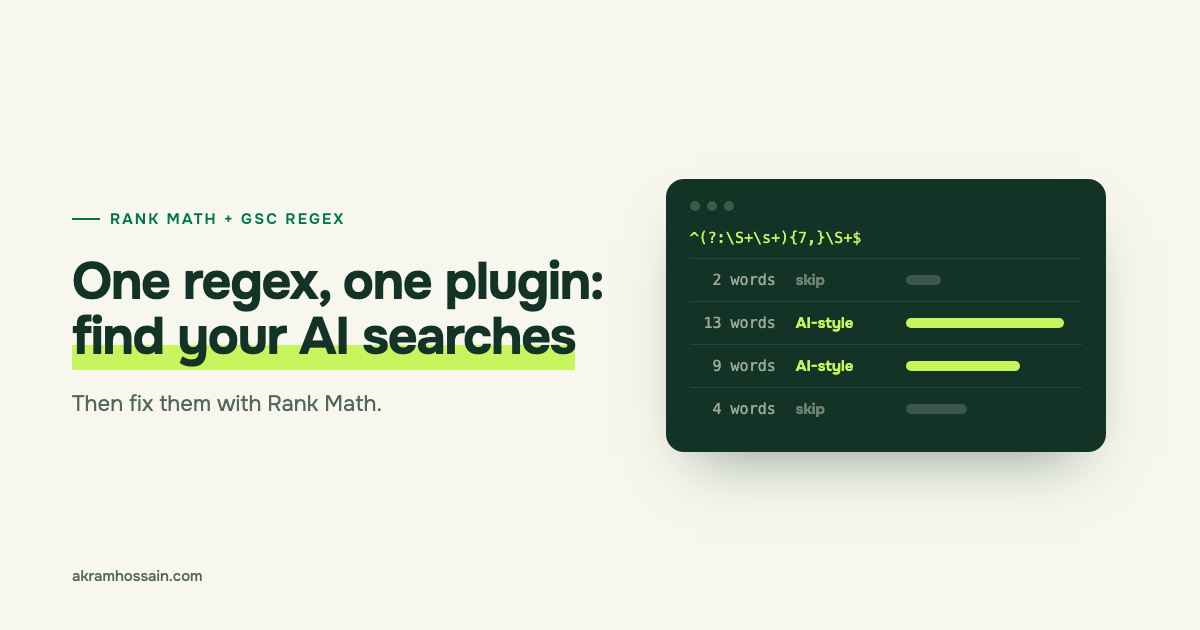
There’s no label in Search Console that says “this came from AI”. So I use a simple rule: any search with 8 or more words.
It’s not perfect. Some people do type long questions themselves. But long searches are exactly what AI tools send, and exactly what AI answers are built from. Either way, these are the full questions people (and machines) are asking about your topic. If your page answers them clearly, you win both ways.
Here’s what they usually look like:
- A full question: “is it worth hiring an seo agency in bangladesh for a small business”
- A comparison with conditions: “which is better for a beginner rank math or yoast for a new blog”
- Something that reads like an instruction to a robot: a search that starts “classify this commercial property…” and keeps going. Nobody types that into Google. That’s an AI agent doing research.
The regex (one line, copy it)
Regex sounds scary, but you don’t need to understand it to use it. Just copy this:
^(?:\S+\s+){7,}\S+$In plain English it says: “a word followed by a space, at least 7 times, and then one more word.” So it only matches searches with 8 words or more. Short searches are ignored.
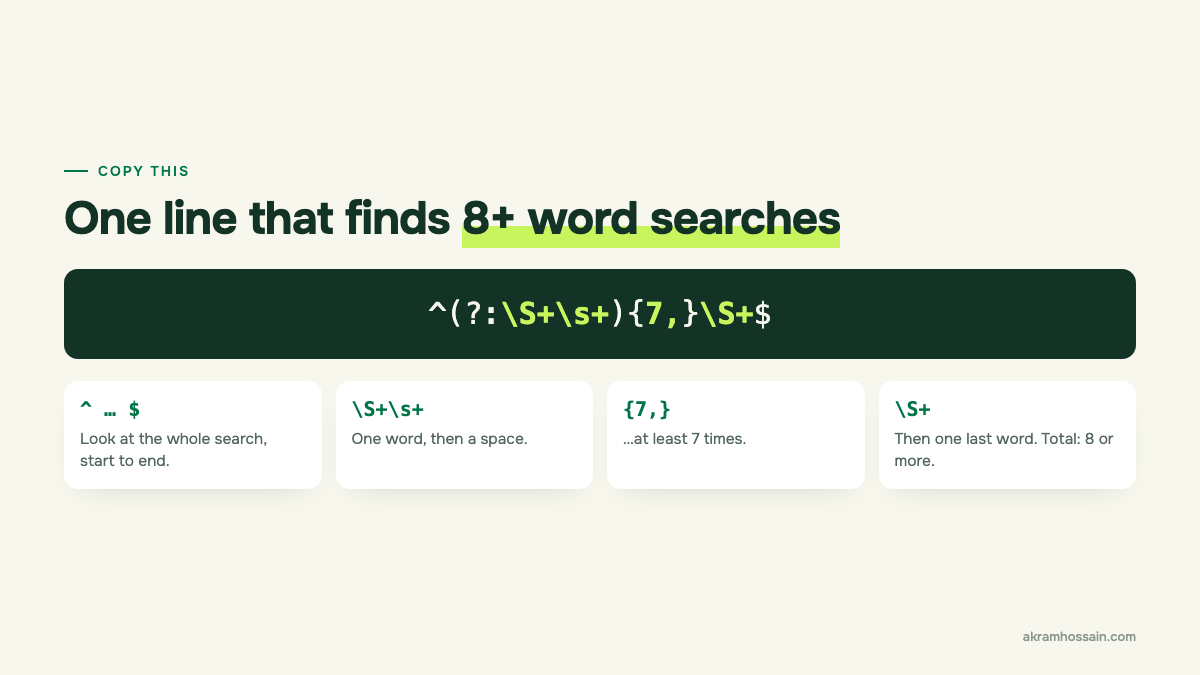
Want to catch slightly shorter questions too? Change the 7 to a 5 and you’ll get every search of 6 words or more. I start with 8 because it’s cleaner.
Way 1: Run it in Google Search Console
This is the quickest way, and it’s free. Rank Math pulls its Analytics data from Search Console anyway, so you’re looking at the same numbers from the source.
- Open Search Console and click Performance → Search results.
- Set the date to Last 16 months. Long searches are rare, so you want as much data as you can get.
- Click + Add filter → Query.
- Change the dropdown from “Queries containing” to Custom (regex), keep Matches regex, paste the line above and click Apply.
- Tick Average position at the top so you can see where you rank, then open the Pages tab to see which of your pages these searches land on.
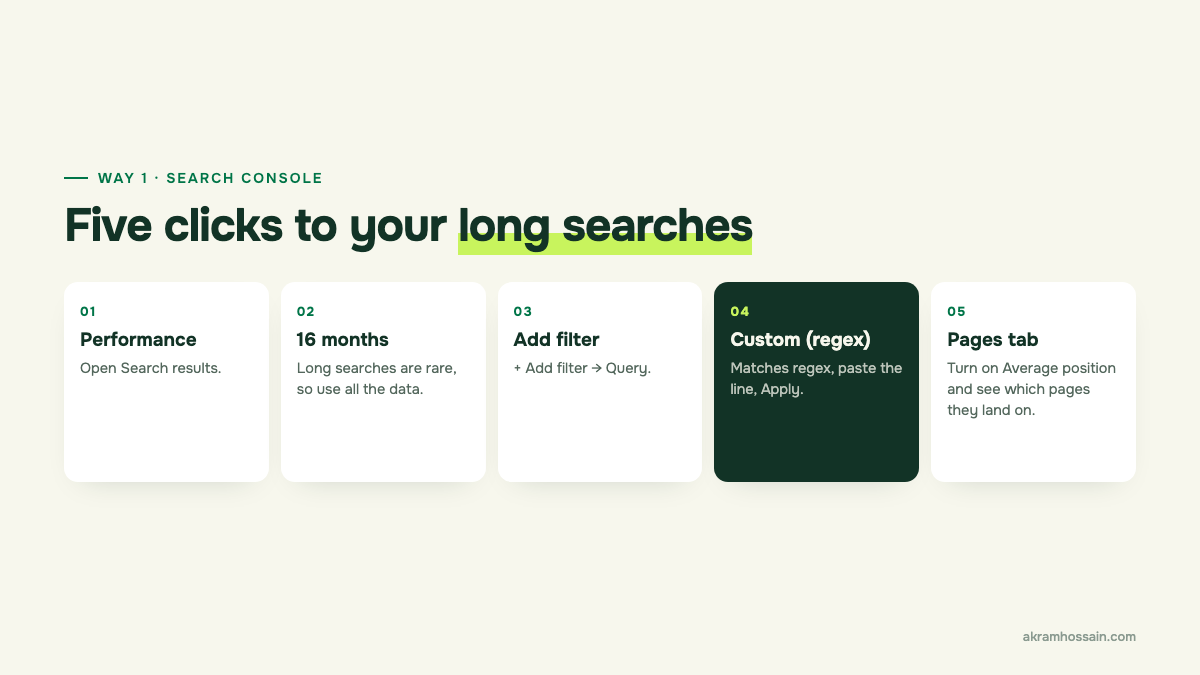
That’s it. Every search left in the table is 8 words or longer.
Way 2: Run it on Rank Math’s own data
Here’s something most people don’t know. When you connect Search Console in Rank Math, Rank Math saves a copy of your search data inside your own WordPress database. It lives in a table called wp_rank_math_analytics_gsc, with one row per search, per page, per day.
That means you can run the same check on your own server, with no row limit and no extra tool. Search Console only shows you 1,000 rows. Your database shows everything Rank Math has stored.
Open phpMyAdmin from your hosting panel, pick your WordPress database, click the SQL tab and paste this:
SELECT query,
       page,
       SUM(impressions)        AS impressions,
       SUM(clicks)             AS clicks,
       ROUND(AVG(position), 1) AS avg_position
FROM wp_rank_math_analytics_gsc
WHERE query REGEXP '^([^ ]+ +){7,}[^ ]+$'
GROUP BY query, page
ORDER BY impressions DESC
LIMIT 200;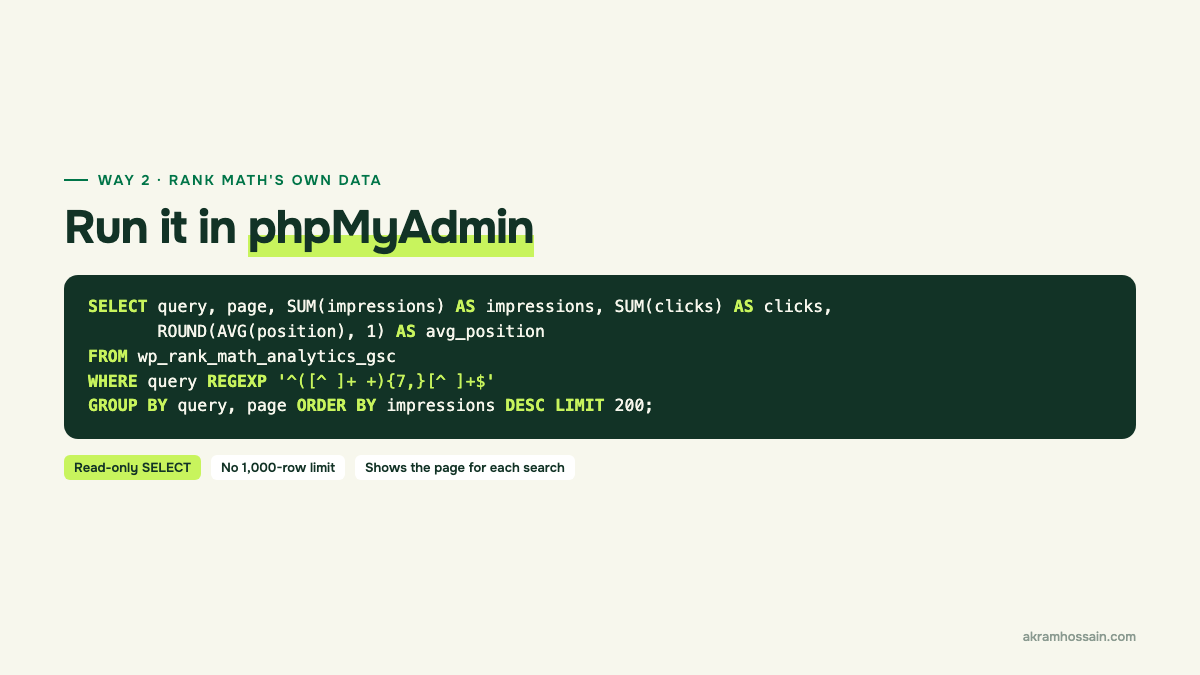
A few things to know before you run it:
- It only reads. A
SELECTnever changes anything in your database. Still, never paste a query that starts with UPDATE, DELETE or DROP unless you know exactly what it does. - Your table name might be different. If your site doesn’t use the standard
wp_prefix, look in the table list on the left and swap in yours. - The regex looks a bit different from the Search Console one. That’s on purpose. This version uses plain spaces instead of backslashes, so it works the same on both MySQL and MariaDB.
- You’ll get a page next to every search. That’s the best part: you see straight away which post needs fixing.
- Rank Math only keeps data for a while. How far back it goes depends on your Analytics settings, and Rank Math only stores searches where you rank in the top 100. So the totals won’t match Search Console exactly, and that’s fine.
Not comfortable opening phpMyAdmin? No problem. Way 1 gives you almost the same list. Way 2 is just faster once you have lots of data.
What I found on two real sites
I ran this check on two sites over the last 16 months. The results were very different, and both taught me something.
| My site (akramhossain.com) | Industrial real estate client | |
|---|---|---|
| Long searches (8+ words) | 30 | 1,000+ (Search Console’s limit) |
| Times shown in Google | 97 | 14,400 |
| Clicks | 0 | 375 |
| Average position | Mostly 55 to 90 | 12.7 |
| Looked machine-written | Hardly any | About 255 |
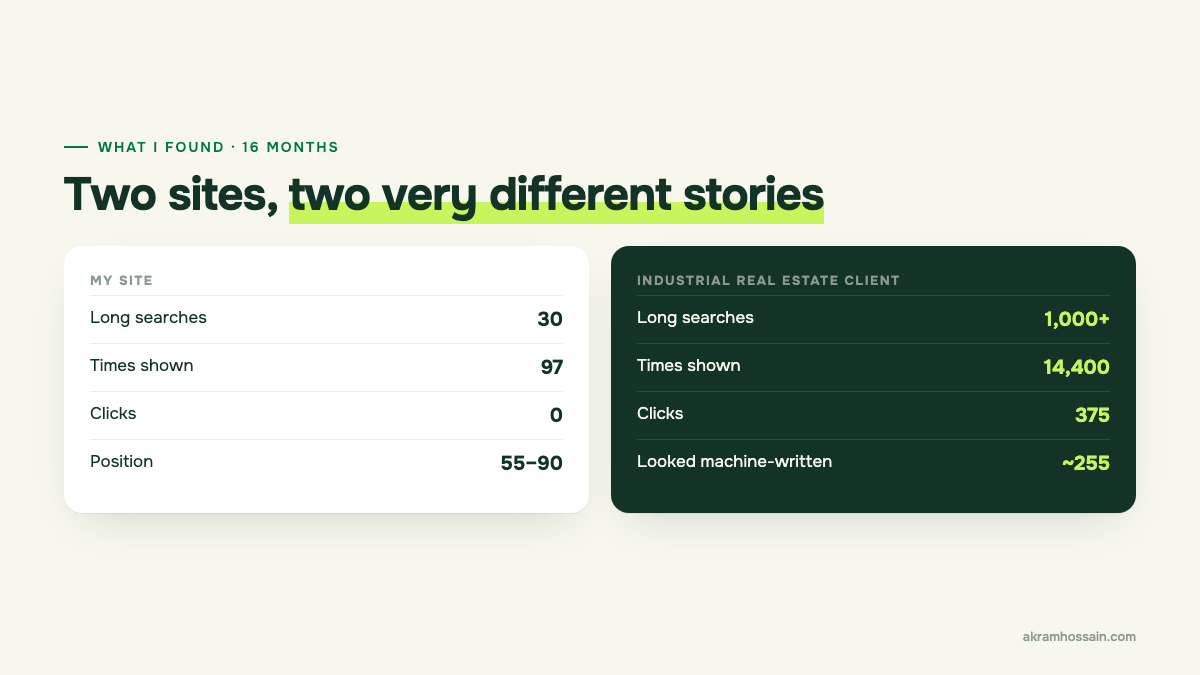
On my site, the 30 long searches fell into six groups, and each group belonged to one post. People asked things like whether a title tag and a meta title should be the same, how Yoast and All in One SEO compare with Rank Math, or which SEO tools suit a small business. My posts covered those topics, but none of them answered the question in the first few lines. Google showed them on page 6 to page 9, and nobody clicked.
On the client’s site, it was a different story. More than 400 of the long searches sat in positions 4 to 10, which is page one, and almost none of them got a click. About 255 of them read like instructions, not questions: “classify this…”, searches with operators like when:3d or -site:, and sentences of 16 words or more. That’s what it looks like when AI agents research a topic and your pages are part of what they read. They see your page, but they don’t click. If your page gives them a clear answer, it can still end up in the AI’s reply.
One search on that site did get clicks: a person’s name plus a full question, which brought in 359 clicks on its own. A clear question with a page that answers it directly works.
Step 1 to fix them: track the best ones in Rank Tracker
You don’t need to fix every long search. Pick the 5 to 10 that are real questions from real people and match a page you care about.
Then add them to Rank Tracker, which comes with Rank Math PRO. Go to Rank Math SEO → Analytics → Rank Tracker, click Add Keyword and paste them in. From now on you’ll see each one move week by week, so you know if your fixes are working. I explain my weekly routine for this in my post on Rank Math Analytics quick wins.
Right now Rank Math has a Black Friday sale with up to 60% off, and the PRO plan is half price. If you’ve been waiting to try Rank Tracker, this is the cheapest it gets.
Step 2: fix the pages with Rank Math
Now open the page each long search lands on, and do these four things. They take about 20 minutes per page.
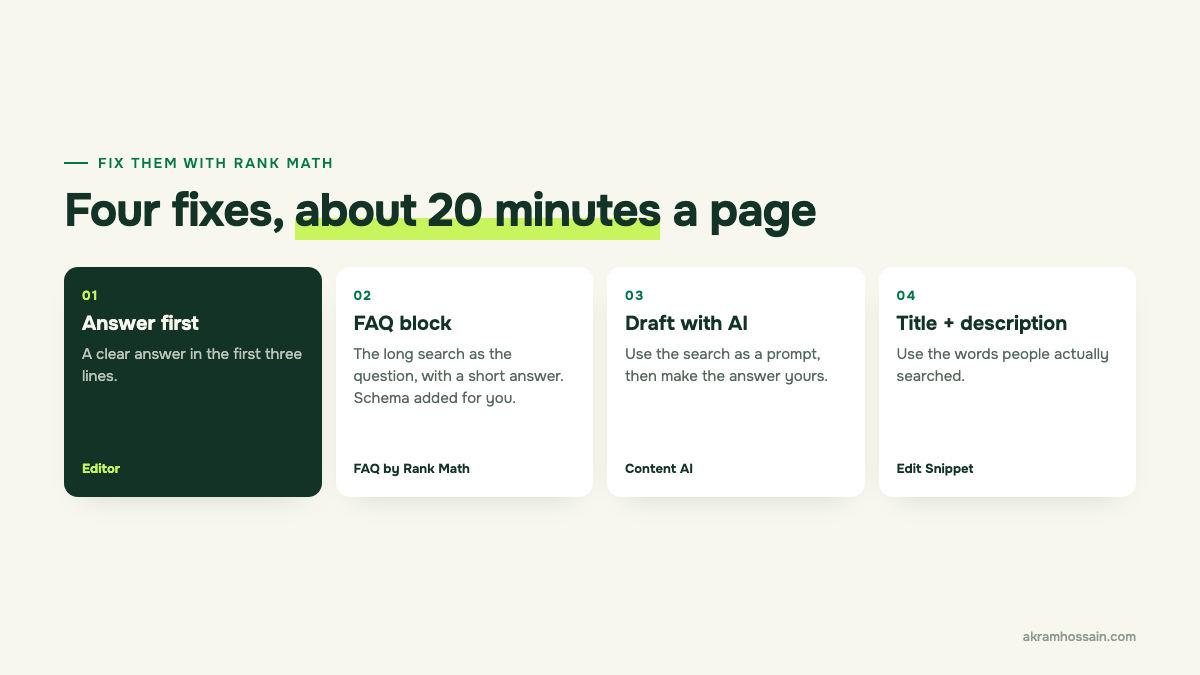
1. Answer the question in the first three lines
This is the biggest fix. AI tools and Google both look for a short, clear answer near the top. If someone asks “should the title tag and meta title be the same”, the first line of your page should say yes or no, and why, in one or two sentences. Then you can explain more below. I wrote more about this in my guide to structuring a blog post.
2. Add the question to an FAQ block
In the WordPress editor, add the FAQ by Rank Math block near the bottom of the post. Use the long search as the question, almost word for word, and write a 2–3 sentence answer. Rank Math adds the FAQ schema for you, so search engines and AI tools can read the question and answer as a clear pair.
3. Let Content AI help you write the answer
If you’re stuck on the wording, Rank Math’s Content AI can draft a short answer for you right inside the editor. Give it the long search as your prompt, then edit the answer so it sounds like you and adds something only you know. I compared the plans in Rank Math AI explained.
4. Update the title and description
Open the Rank Math sidebar, click Edit Snippet, and make sure the title and description use the words people actually searched. You don’t need the whole 12-word question in your title. Just the key part. Not sure if your page title and SEO title should match? I answered that in this post.
Bonus: if you want AI tools to understand your whole site better, look at llms.txt and at tracking your brand’s AI search visibility with Rank Math.
My 15-minute monthly check
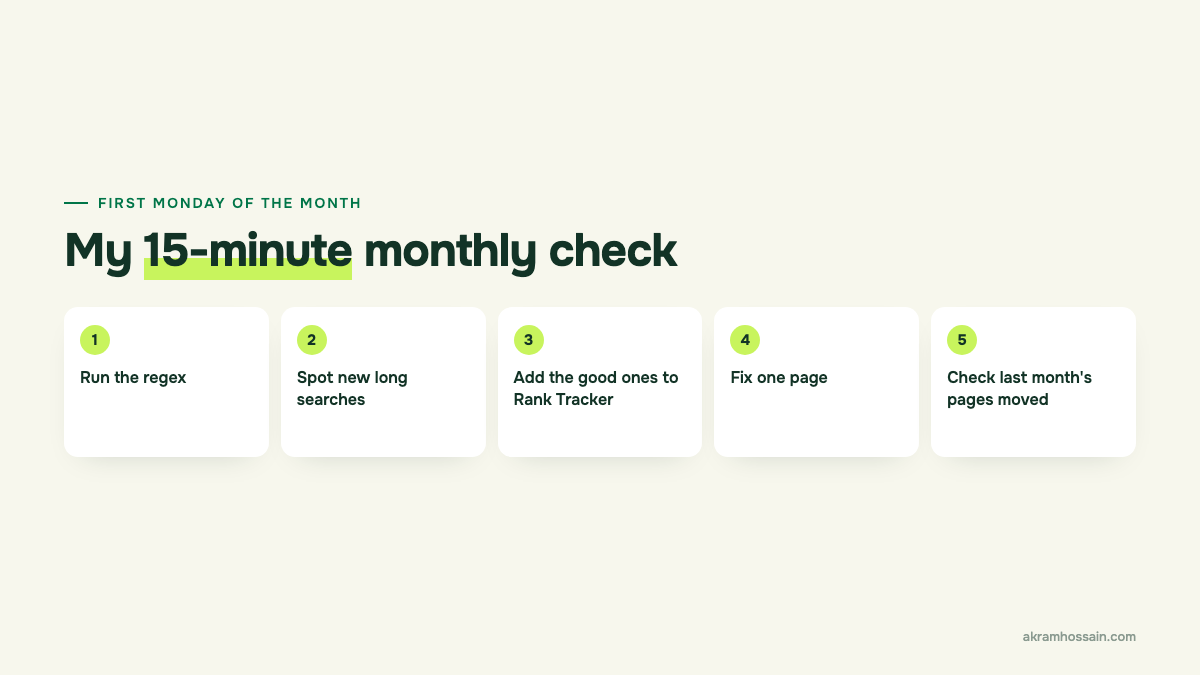
Once you’ve done this once, it becomes a small habit. Here’s what I do on the first Monday of each month:
- Run the regex in Search Console or phpMyAdmin.
- Look for new long searches that weren’t there last month.
- Add the good ones to Rank Tracker.
- Pick one page and do the four fixes above.
- Check last month’s pages in Rank Tracker to see if they moved.
Start with one page
You don’t need a new tool or a big project for this. One regex shows you the long questions people and AI tools are already asking about you. One plugin helps you answer them, track them and see what works.
Run the regex today, pick the one page with the most long searches, and give it a clear answer at the top. If you’re on the free version and want Rank Tracker and the full Analytics, grab Rank Math PRO in the Black Friday sale. You’ll find it, along with the other tools I use, on my Tools & Deals page.