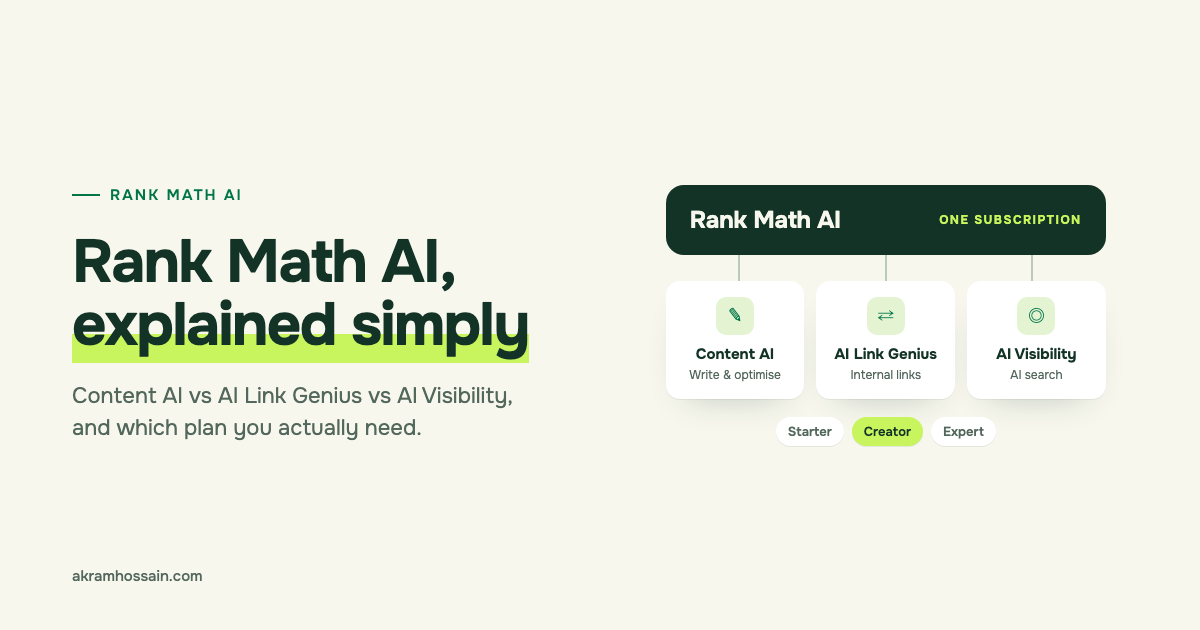
Short answer: Rank Math AI is the new name for Rank Math’s paid AI subscription. It bundles three tools: Content AI (writing and SEO help), AI Link Genius (internal links) and AI Visibility (how ChatGPT and Gemini talk about your brand). Most small sites only need the Starter plan. Agencies and people tracking several brands should look at Creator.
If you’ve logged into your Rank Math account recently, you may have noticed “Content AI” has turned into “Rank Math AI”. And if you’re anything like the people who message me, your next question was: “Wait… what am I actually paying for now?”
Good question. Let me walk you through it in plain English, using screenshots from my own website, not marketing pictures.
What is Rank Math AI?
Rank Math AI is an umbrella name, not a new tool. According to Rank Math, it’s mainly a branding change: the old Content AI subscription now covers more than writing, so they gave it a bigger name.
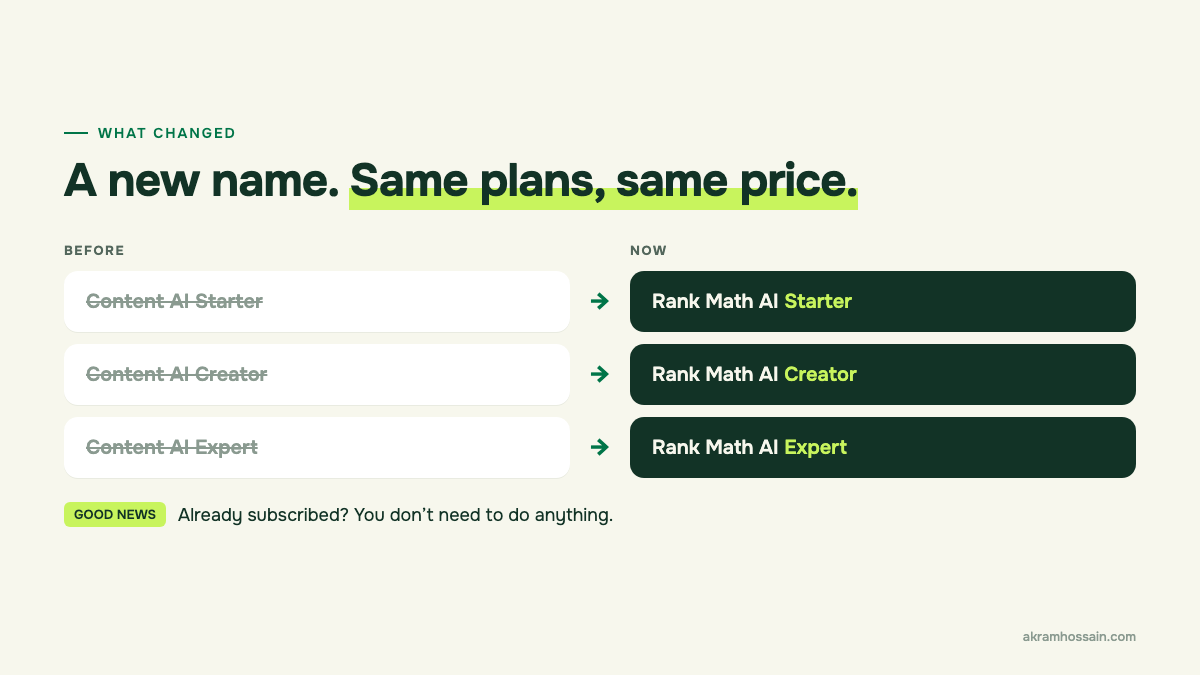
Here’s what changed, and what didn’t:
- The name: Content AI Starter, Creator and Expert are now Rank Math AI Starter, Creator and Expert.
- Pricing and features: Rank Math says nothing changed. If you already pay for Content AI, you don’t need to do anything.
- Content AI isn’t going away. It’s now one of three tools under the Rank Math AI name.
The 3 tools inside Rank Math AI (in plain English)
Think of Rank Math AI as one toolbox with three tools. Each one does a different job:
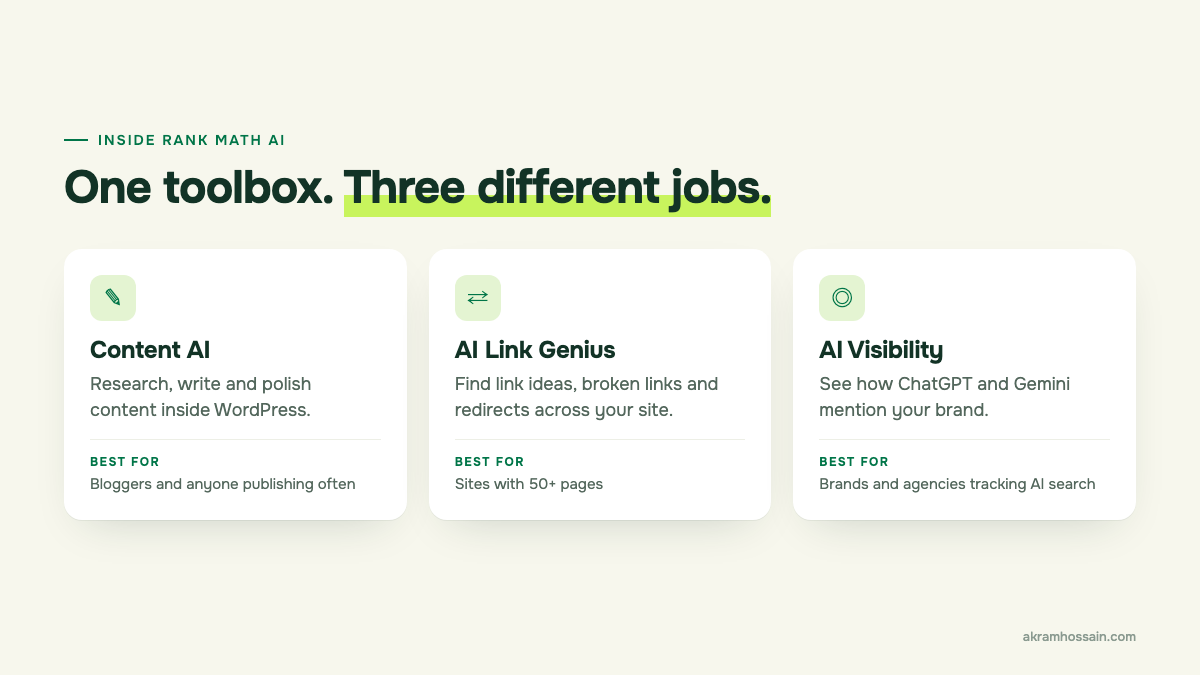
- Content AI helps you research, write and polish content inside WordPress. It suggests keywords, writes SEO titles and descriptions, and has 40+ AI writing tools.
- AI Link Genius helps you build and clean up internal links: the links between your own pages. It finds linking opportunities, broken links and redirects.
- AI Visibility shows how AI tools like ChatGPT and Gemini mention your brand: how often, how positively, and which competitors show up instead.
You don’t have to use all three. Rank Math says so itself, and honestly, most people won’t.
My real experience with AI Link Genius
AI Link Genius is the tool I’d pay for first. Internal links are one of those jobs everyone knows they should do, and almost nobody keeps on top of.
When I ran the Link Status Audit on this website, it checked 374 URLs and found:
- 649 working links
- 45 redirects (links that still work, but take an extra hop)
- 35 broken links
- 69 links blocked by robots rules
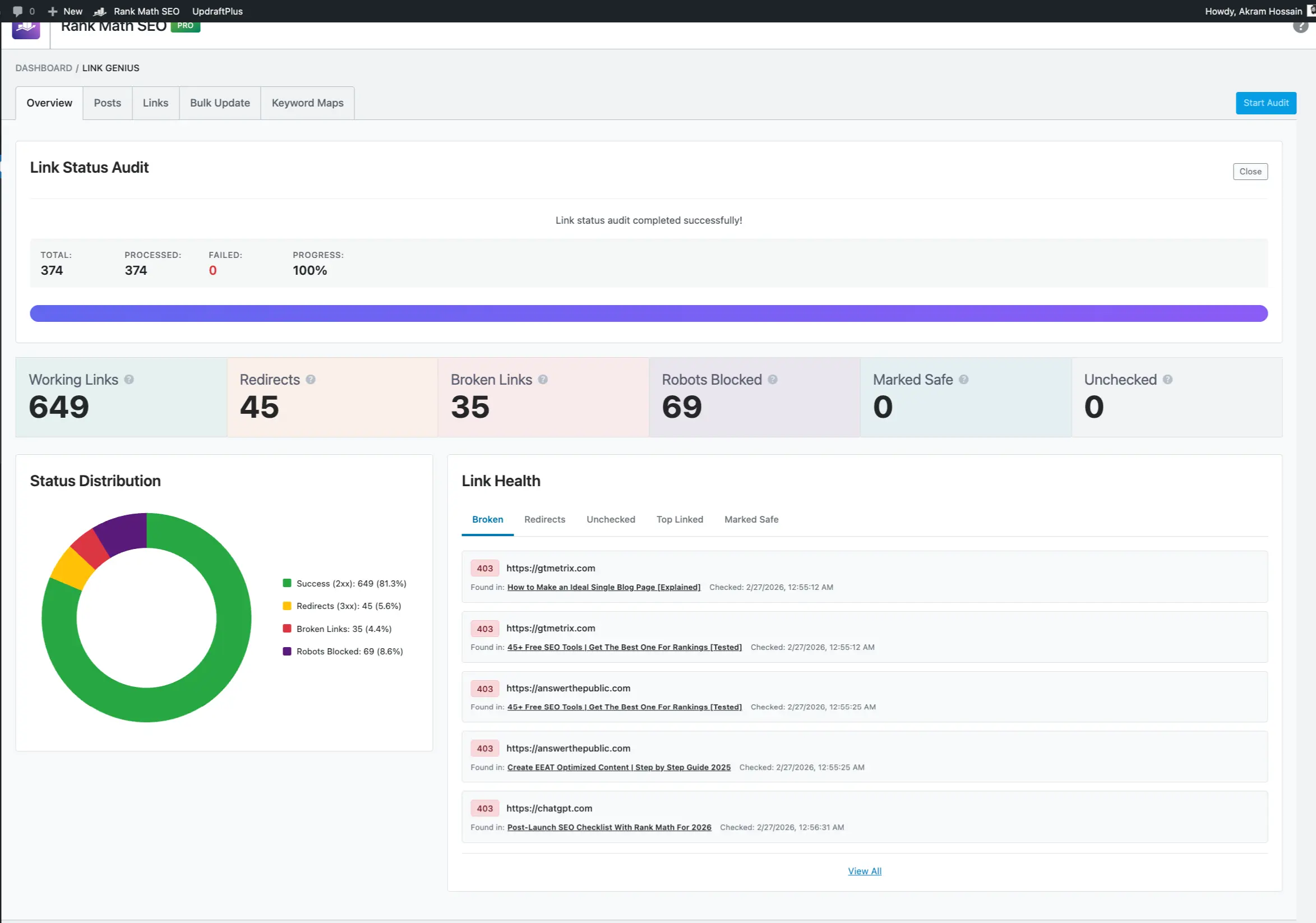
35 broken links on a site I look after every day. That was a humbling moment, and exactly why I like this tool. It shows you the problem in one screen instead of making you click through every post.
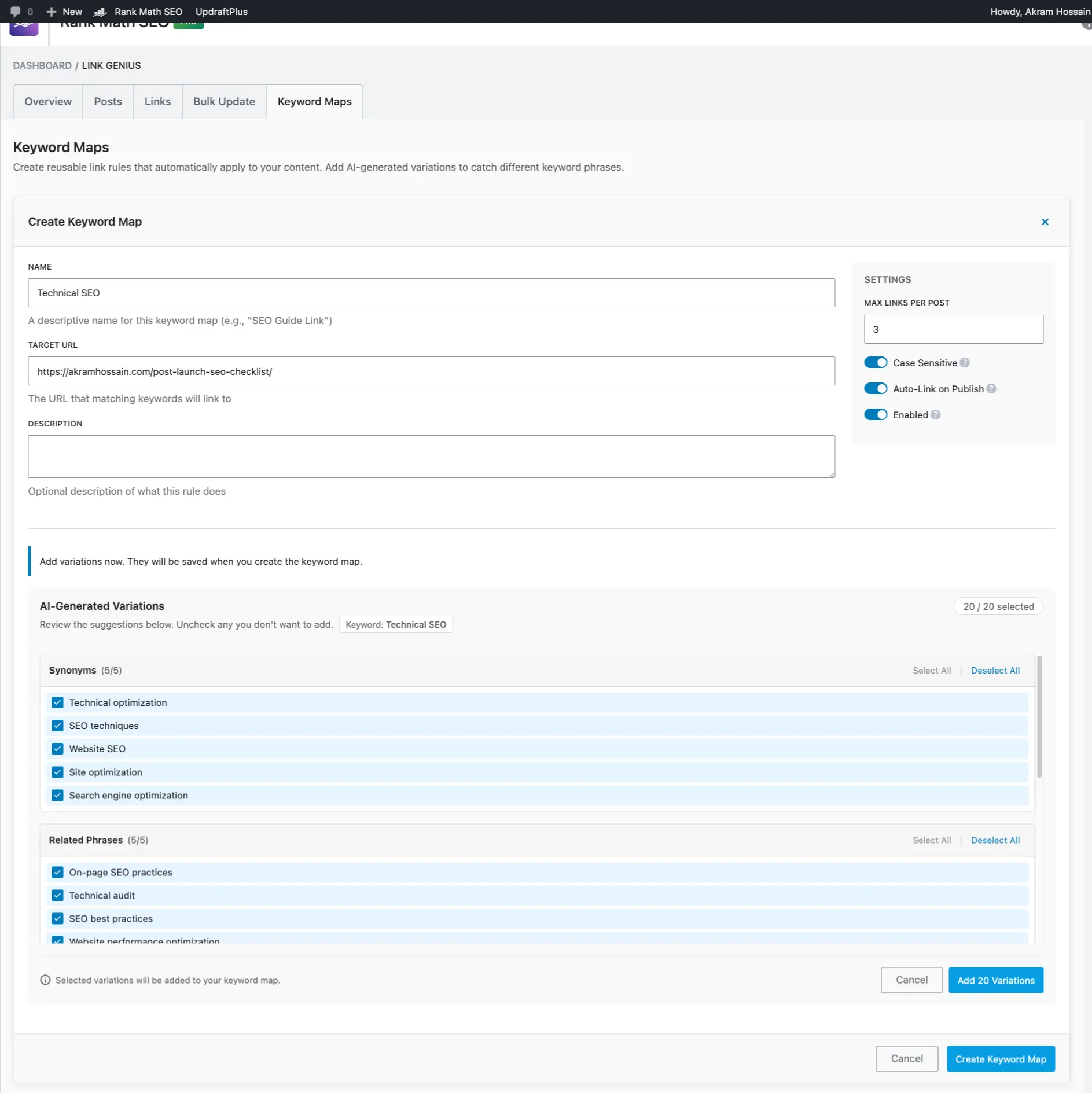
The other feature I use is Keyword Maps. You tell it “whenever I mention technical SEO, link to this page”, and it suggests similar phrases to catch as well. I set one up for my post-launch SEO checklist:
If you want the full walkthrough, I wrote a detailed review of AI Link Genius earlier this year. You can see the tool here: Rank Math AI Link Genius.
My real experience with AI Visibility
AI Visibility is the most “new” of the three, and the one I find most interesting as an SEO. It shows whether AI assistants actually recommend your brand.
I tested it during a trial in June 2026. To see how it works on a well-known brand, I tracked Rank Math itself. Here’s what it showed:
- AI Visibility Score: 78/100
- Recent mentions: 4
- Average sentiment: 66.25% positive
- Top competitor in AI answers: Yoast
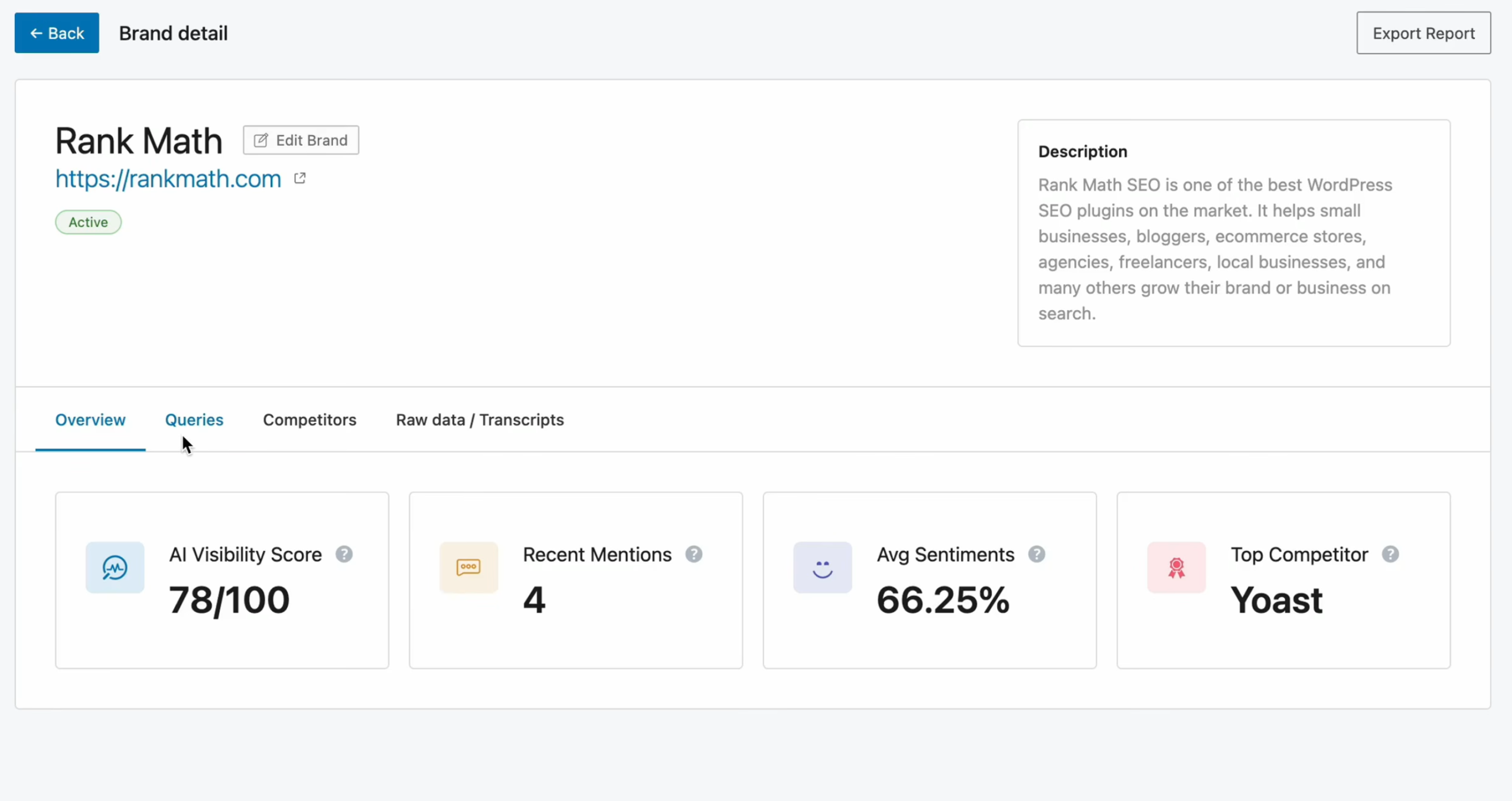
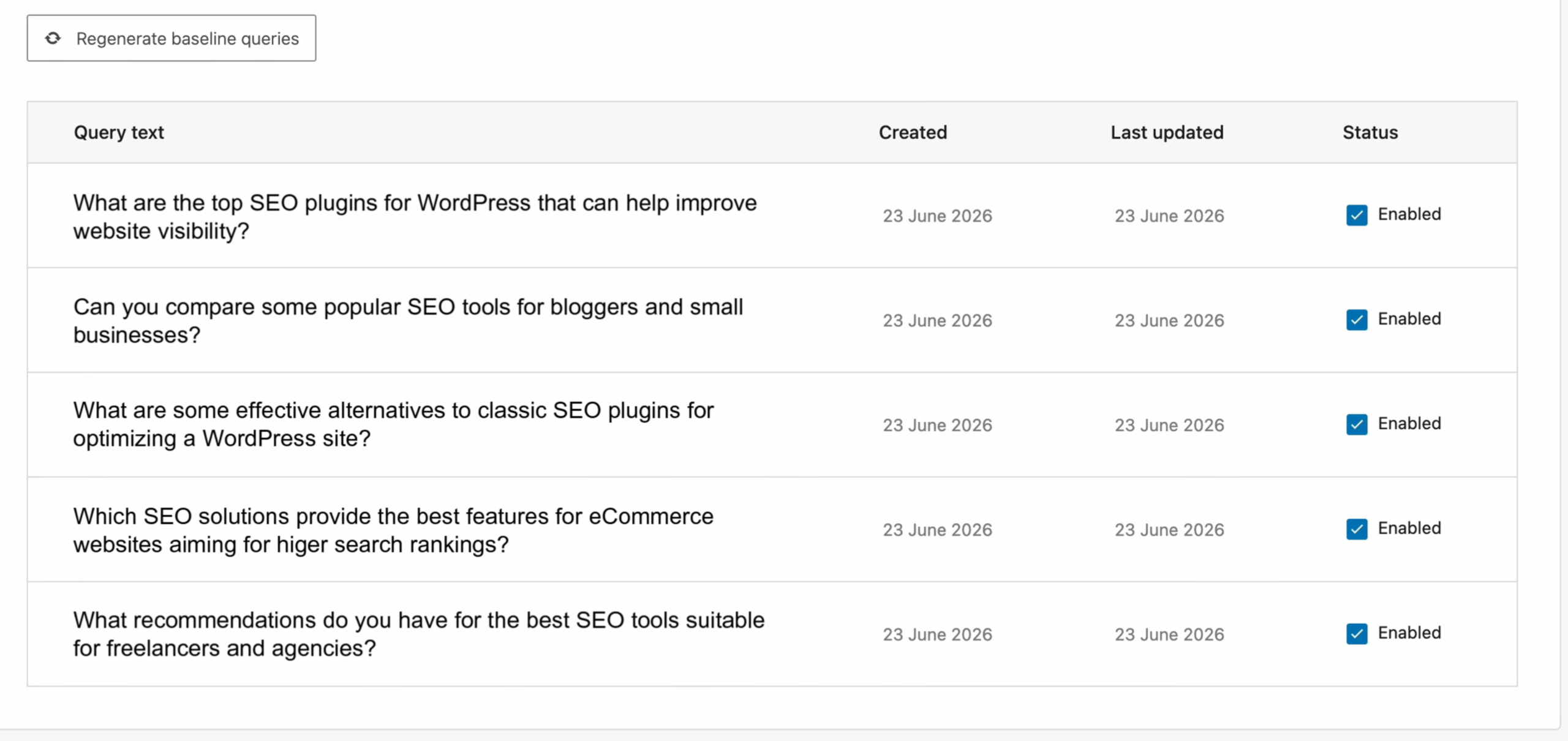
What I liked most: you don’t have to guess what people ask AI. It generates realistic questions for you, like “What are the top SEO plugins for WordPress that can help improve website visibility?”, and checks the answers.
I went deeper on this in my post on tracking your brand’s AI search visibility with Rank Math. If you want raw data instead of a dashboard, I also wrote about tracking AI mentions with DataForSEO. You can see the tool here: Rank Math AI Visibility.
What about Content AI?
I’ll be honest: Content AI isn’t something I use every day. My writing stays human-led. I follow my own editorial standards, where AI can help with research and structure, but a person writes and checks everything.
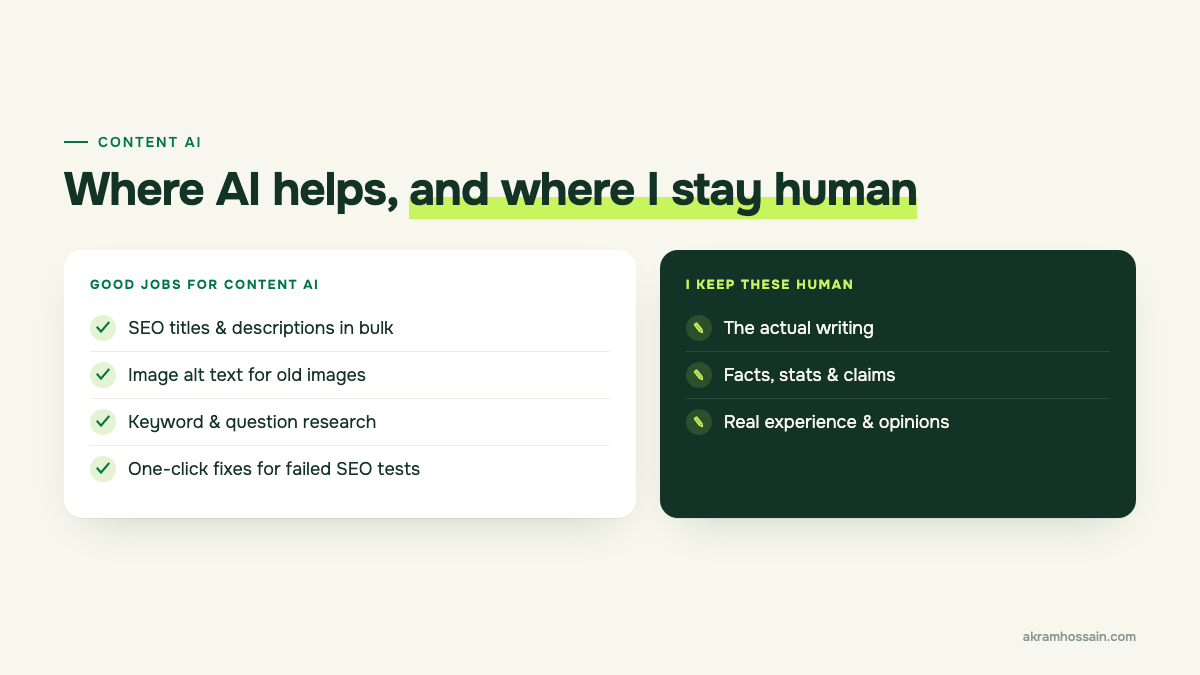
That said, there are jobs where Content AI genuinely saves time, even for someone like me:
- SEO titles and meta descriptions in bulk, especially on older posts that never had them.
- Image alt text. Nobody enjoys writing alt text for 200 old images.
- Keyword and question research before you start writing.
- Fixing failed SEO tests in the Rank Math sidebar with one click.
If you publish a lot, or you’re a beginner who wants guidance while writing, Content AI is where you’ll see the most value. You can see what’s included here: Rank Math Content AI.
Rank Math AI plans compared: Starter vs Creator vs Expert
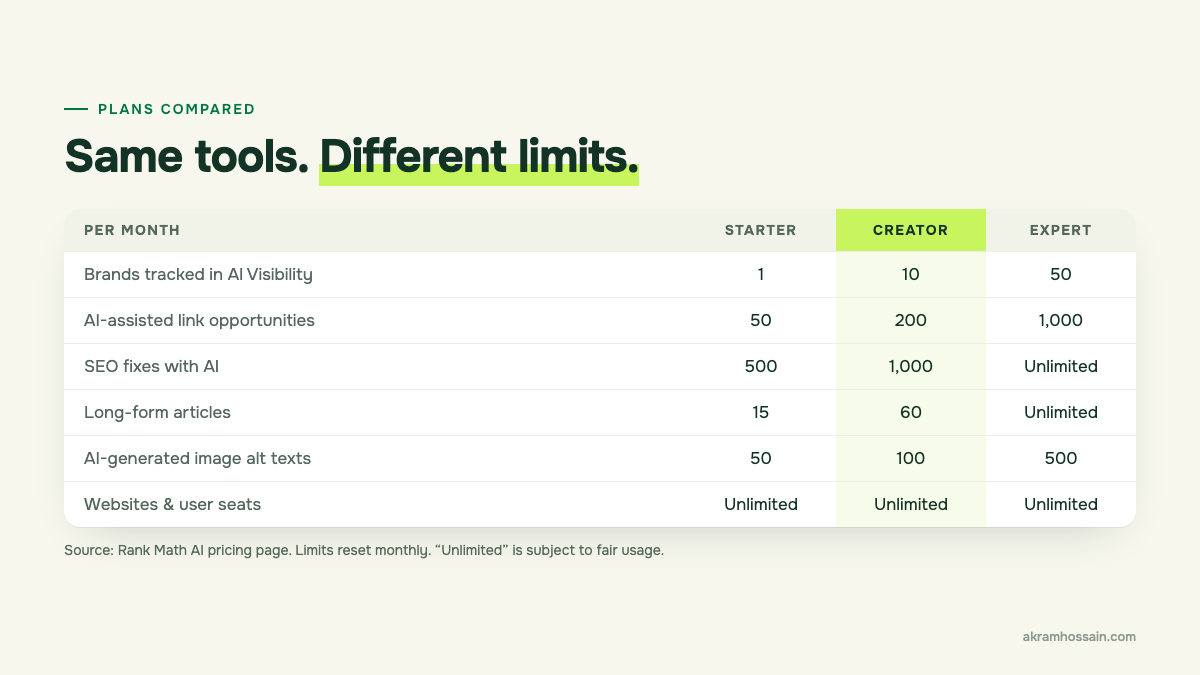
All three plans include all three tools. The difference is how much you can use each month. Here are the main limits from Rank Math’s pricing page:
| What you get (per month) | Starter | Creator | Expert |
|---|---|---|---|
| Brands tracked in AI Visibility | 1 | 10 | 50 |
| AI platforms checked | ChatGPT or Gemini | ChatGPT or Gemini | ChatGPT and Gemini |
| How often brands are checked | Weekly / monthly | Weekly / monthly | Daily / weekly / monthly |
| AI-assisted link opportunities | 50 | 200 | 1,000 |
| Semantic keyword variations | 100 | 500 | Unlimited |
| SEO fixes with AI | 500 | 1,000 | Unlimited |
| Long-form articles | 15 | 60 | Unlimited |
| RankBot SEO assists | 100 | 500 | Unlimited |
| AI-generated image alt texts | 50 | 100 | 500 |
Every plan also includes 40+ AI tools, unlimited websites and user seats, 125+ prompt templates and a free Rank Math PRO trial. Limits reset every month, and “unlimited” is subject to Rank Math’s fair usage policy. Check the current Rank Math AI prices before you buy, as they change with sales.
Which Rank Math AI plan do you actually need?
Here’s how I’d choose, based on what I see with clients:
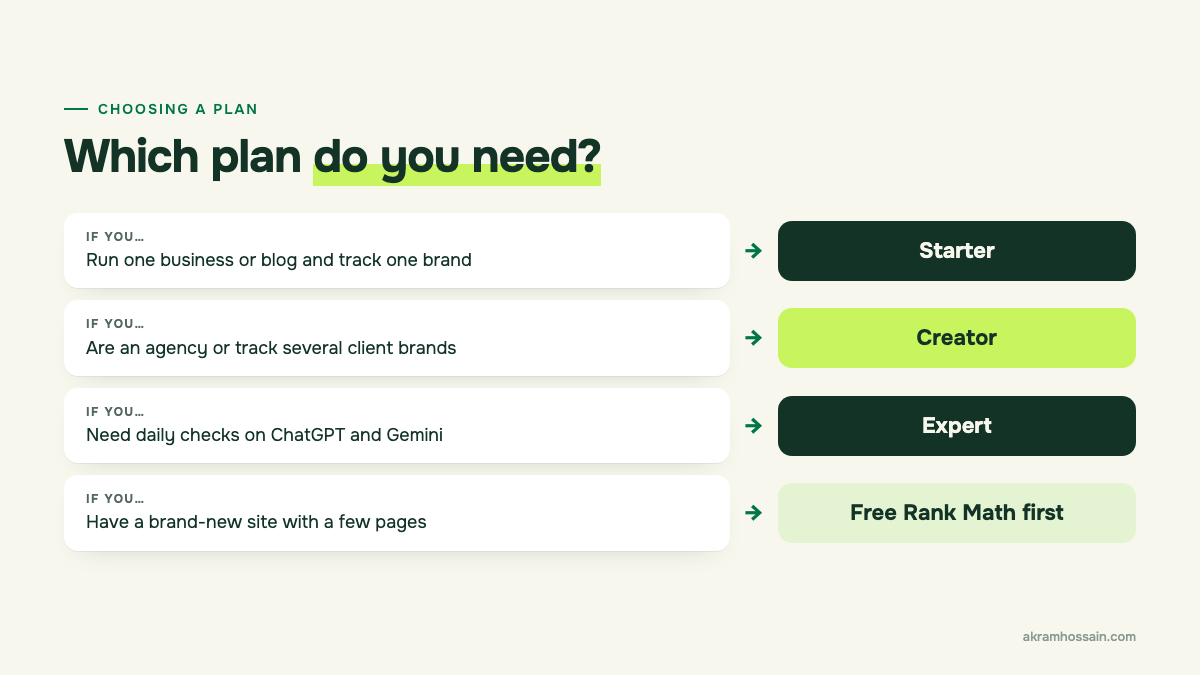
- Starter if you run one business or blog, want to track one brand in AI search, and publish a few posts a month.
- Creator if you’re an agency or freelancer tracking several client brands, or you publish every week. The jump from 1 to 10 tracked brands is the big reason.
- Expert if you need daily AI checks on both ChatGPT and Gemini, or you publish at high volume.
- None yet if your site is brand new with a handful of pages. Get the basics right with free Rank Math first.
My tip: start small. Limits reset monthly and you can upgrade at any time, so there’s no reason to pay for Expert “just in case”.
Do you need Rank Math PRO as well?
They’re two separate subscriptions. Rank Math PRO is the SEO plugin upgrade (advanced schema, analytics, keyword tracking and more). Rank Math AI is the AI add-on.
They do help each other, though. Every Rank Math AI plan comes with a free Rank Math PRO trial, and PRO plans come with a free Rank Math AI trial. If you’re unsure, a trial is the cheapest way to find out. You can compare Rank Math PRO plans here. For my full take on PRO, see my Rank Math review as an SEO professional.
FAQ
Is Rank Math AI the same as Content AI?
Not quite. Content AI is now one of three tools inside Rank Math AI, alongside AI Link Genius and AI Visibility.
I already pay for Content AI. Do I need to do anything?
No. Rank Math says existing Content AI subscriptions are simply renamed, with the same price and features.
Can I use Rank Math AI on more than one website?
Yes. Every plan includes unlimited websites and user seats. Your monthly limits are shared across them.
Which tool should I try first?
For most sites, AI Link Genius. Internal links are quick wins, and the audit shows you problems straight away.
Is there a refund if it’s not for me?
Rank Math offers a 30-day money-back guarantee, and you can cancel or change plans at any time.
Final thoughts
Rank Math AI sounds like a big change, but it’s really just a clearer name for three useful tools. Pick the one that solves your biggest problem today, start on the smallest plan that covers it, and grow from there.
Want help deciding, or setting it up properly? I’m happy to look at your site and tell you honestly which tools you need, and which you don’t. Book a 1:1 call or get an AI SEO audit.