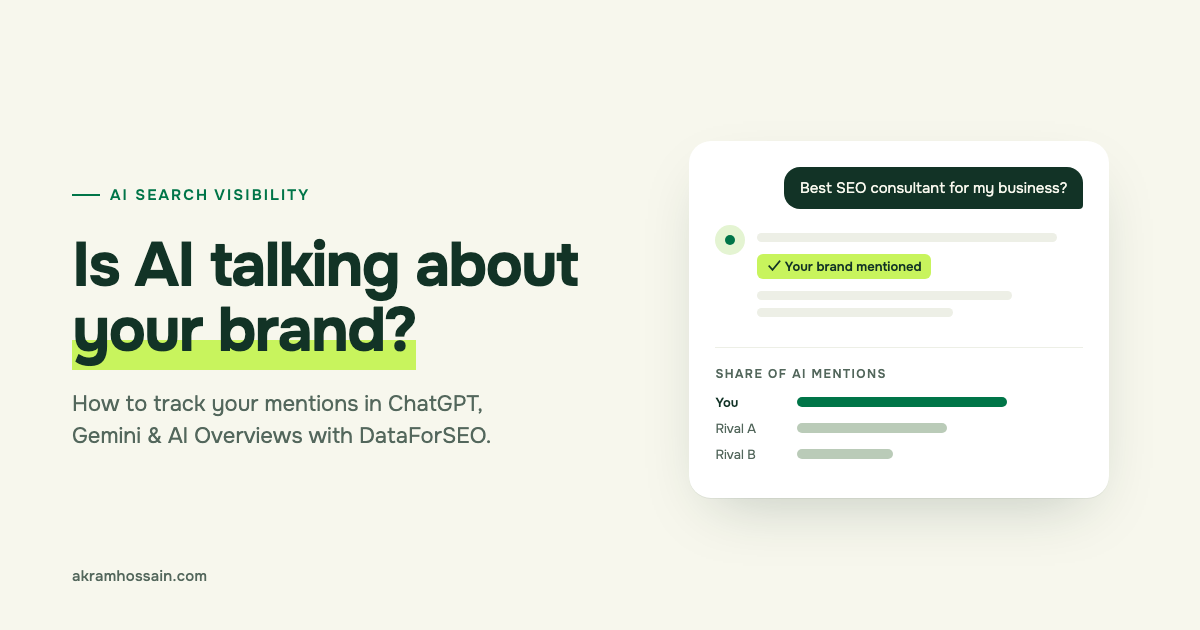
Short answer: You can find out how often ChatGPT, Gemini, Perplexity, Claude and Google AI Overviews mention your brand by using the DataForSEO LLM Mentions API. You don’t need to code. In this guide, I’ll show you exactly how I set it up, what the numbers mean, and what to do with them.
Here’s why this matters.
More and more people don’t type a question into Google and scroll through ten links anymore. They ask ChatGPT, Gemini or Perplexity, and they get one answer with a few brands named in it.
If your brand is in that answer, great. If a competitor is named instead of you, you may have lost that customer before they ever saw your website.
That’s the new problem. People don’t only search anymore. They ask AI tools for answers. If you’re not in those answers, you’re invisible to a growing number of buyers — even if your Google rankings look fine.
The good news? You can actually measure this now. Let me show you how.
In my June post about tracking AI visibility with Rank Math, I covered the basics. This guide goes one step deeper, using real data from DataForSEO.
What does “AI search visibility” actually mean?
AI search visibility is how often — and how well — AI tools talk about your brand when people ask them questions.
There are three things worth tracking. Here’s the simple version:
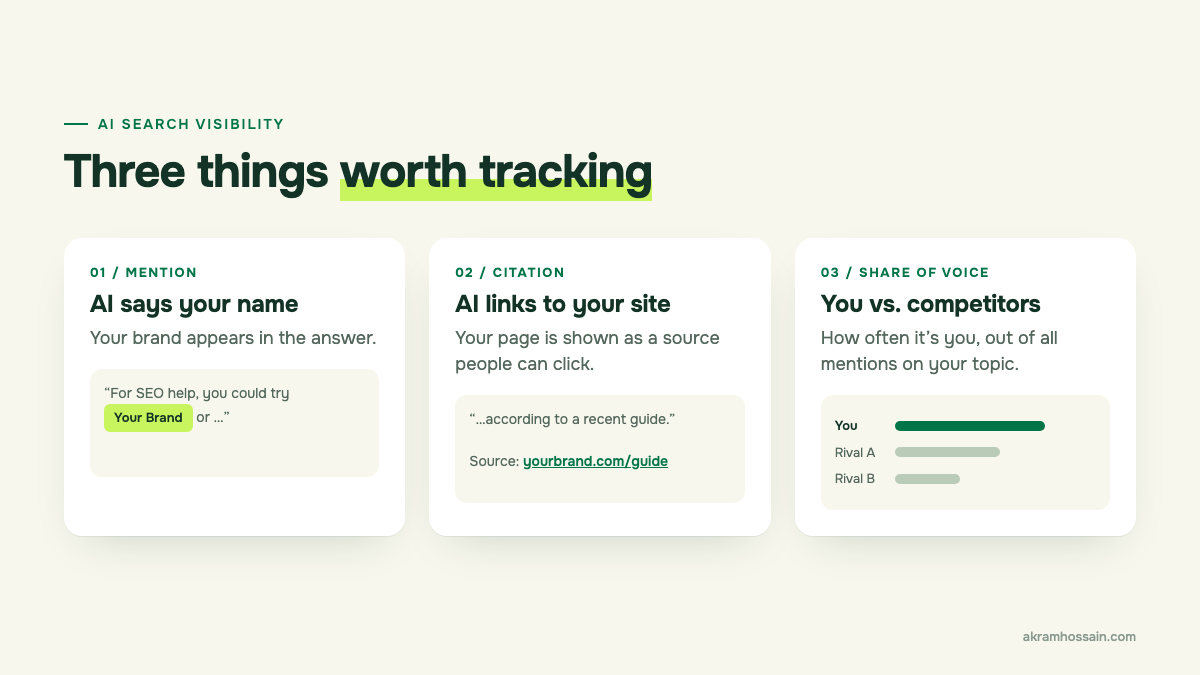
- Mention — the AI says your brand name. “For SEO help, you could try Clicko…”
- Citation — the AI links to your website as a source. This is even better, because people can click it.
- Share of voice — out of all the times AI talks about your topic, how often is it you versus your competitors?
Think of it like this: rankings tell you where you stand in the Google list. AI visibility tells you whether you’re even part of the conversation.
One honest note before we go on: AI answers change. Ask ChatGPT the same question twice, and you might get two slightly different answers. So treat this data as a trend to watch, not an exact score.
What is DataForSEO (and why I use it for this)?
DataForSEO is a company that sells raw SEO data. You pay only for what you use.
It’s a bit different from tools like Ahrefs or Semrush. Those give you a ready-made dashboard. DataForSEO gives you the data itself, and you decide how to look at it.
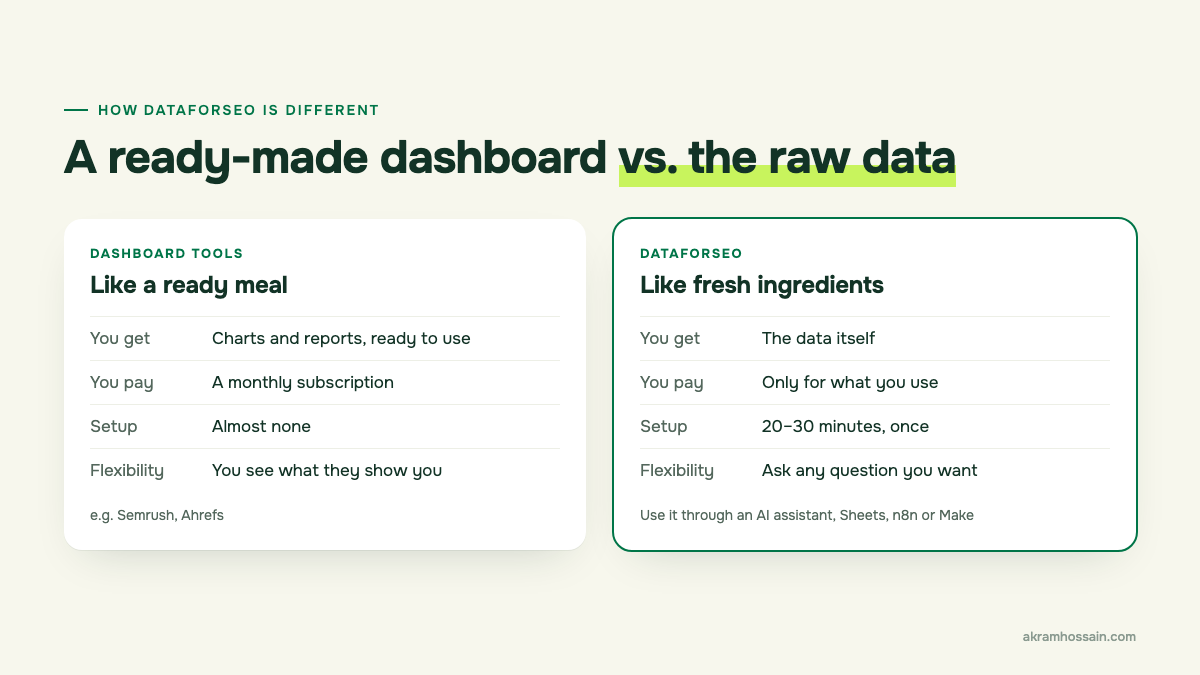
Why does that matter for AI tracking? Because DataForSEO has a huge database of real questions people ask AI tools, and the answers those tools gave. Their product for this is called the AI Optimization API. Inside it, there’s a part called LLM Mentions — that’s the one we’ll use.
(Quick jargon check: “API” just means a way for one piece of software to ask another for data. “LLM” means large language model — the tech behind ChatGPT, Gemini and Claude. That’s all you need to know.)
According to DataForSEO, the LLM Mentions data covers ChatGPT, Google AI Overviews, Gemini, Claude and Perplexity.
Who is this for? If you’re a business owner, marketer or small agency who’s okay spending 20–30 minutes on setup, this is for you. If you want a polished dashboard with zero setup, a paid AI-visibility tool might suit you better. I’ll talk about that trade-off later.
The 5 LLM Mentions reports I use (in plain English)
DataForSEO calls these “endpoints.” I just think of them as five different reports. Each one answers a different question.
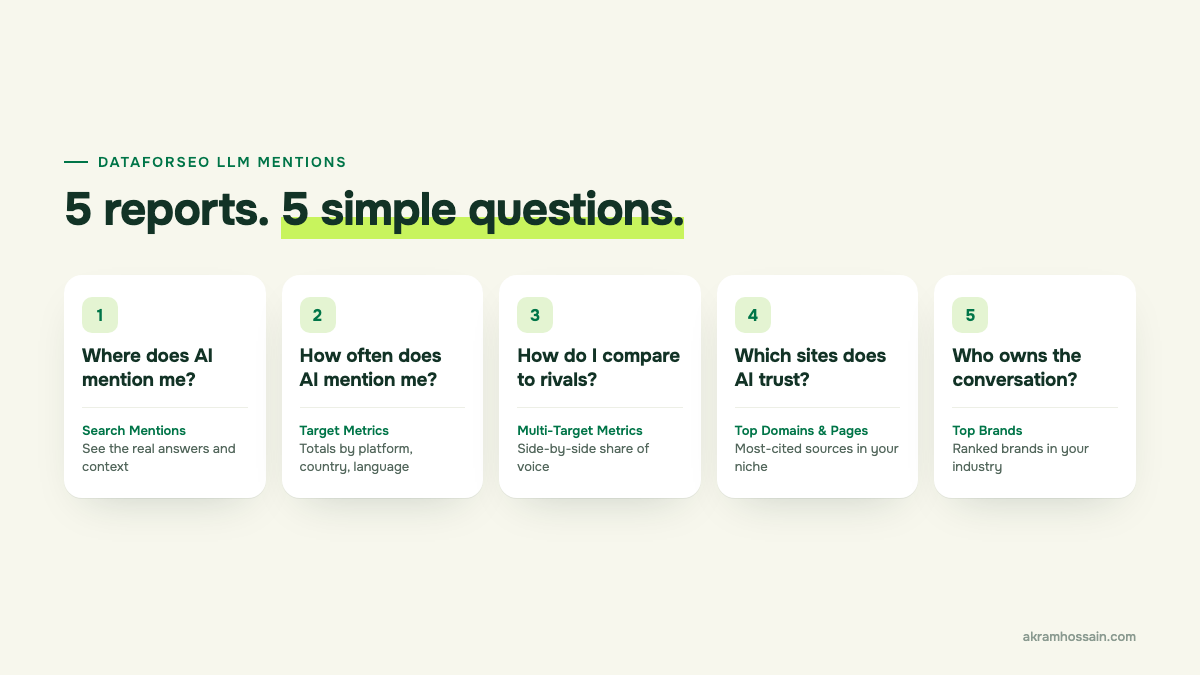
1. Search Mentions — “Where does AI mention me?”
Shows you the actual AI answers where your brand or website shows up, and the context around it. I use this first, to see how AI describes a brand. Is it positive? Accurate? Out of date?
2. Target Metrics — “How often does AI mention me?”
Gives you a total count of mentions, broken down by AI platform, country and language. This is my baseline number.
3. Multi-Target (Cross-Aggregated) Metrics — “How do I compare to competitors?”
Put in your brand and two or three competitors, and see everyone side by side. This is where share of voice comes from — and usually the report clients care about most.
4. Top Domains & Top Pages — “Which websites does AI trust in my niche?”
Shows which websites and pages get cited most often in AI answers about your topic. This is gold. If the same five sites keep getting cited, you know where you need to be mentioned.
5. Top Brands — “Who owns the conversation?”
A ranked list of the brands AI mentions most in your industry. Great for spotting competitors you didn’t even know about.
There’s also historical data, so you can see how mentions have changed over time — not just today.
Step by step: how to check your brand’s AI visibility
Here’s the exact process I follow. I’m using the easiest route: connecting DataForSEO to Claude, so I can just ask questions in plain English instead of writing code.
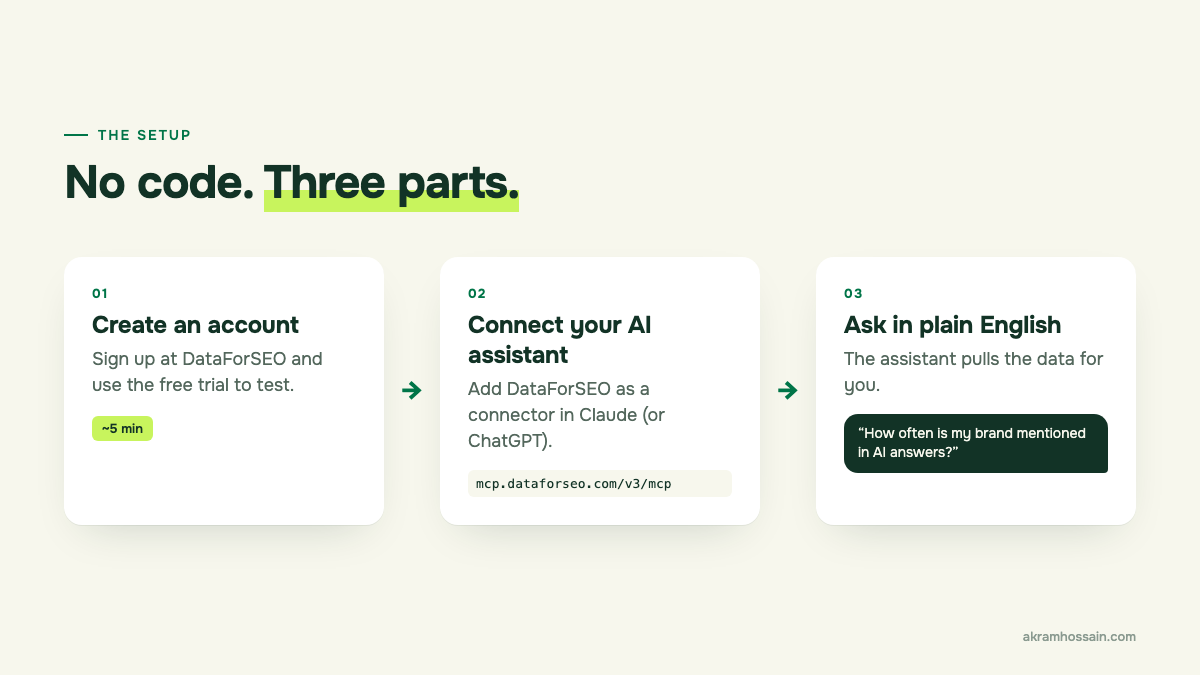
Step 1: Create your DataForSEO account
Go to dataforseo.com and sign up. They offer a free trial, so you can test this before spending anything.
Once you’re in, you’ll land on your dashboard. This is where you can see your balance and how much data you’ve used.
Step 2: Connect DataForSEO to Claude
This is the part that sounds technical but really isn’t. DataForSEO has something called an MCP connector. It’s basically a bridge that lets an AI assistant like Claude pull data from DataForSEO for you.
Here’s how, in Claude Desktop:
- Open Claude Desktop and go to Customize → Connectors.
- Click Add custom connector and paste this address:
https://mcp.dataforseo.com/v3/mcp - Approve the access request when it pops up.
- Start a new chat. Claude will ask your permission the first time it uses DataForSEO.
Prefer ChatGPT, Cursor or another tool? DataForSEO has setup steps for those too, on their MCP page. And if you want this to run automatically every month, you can use their n8n or Make integrations instead.
Step 3: Decide what you want to track
Before you ask anything, write down four things:
- Your brand name and your website (e.g. Clicko and clickohq.com)
- 2–3 competitors you want to compare against
- The country you care about (e.g. United States)
- The language (e.g. English)
This takes two minutes, and it keeps your results clean.
Step 4: Check how often AI mentions you
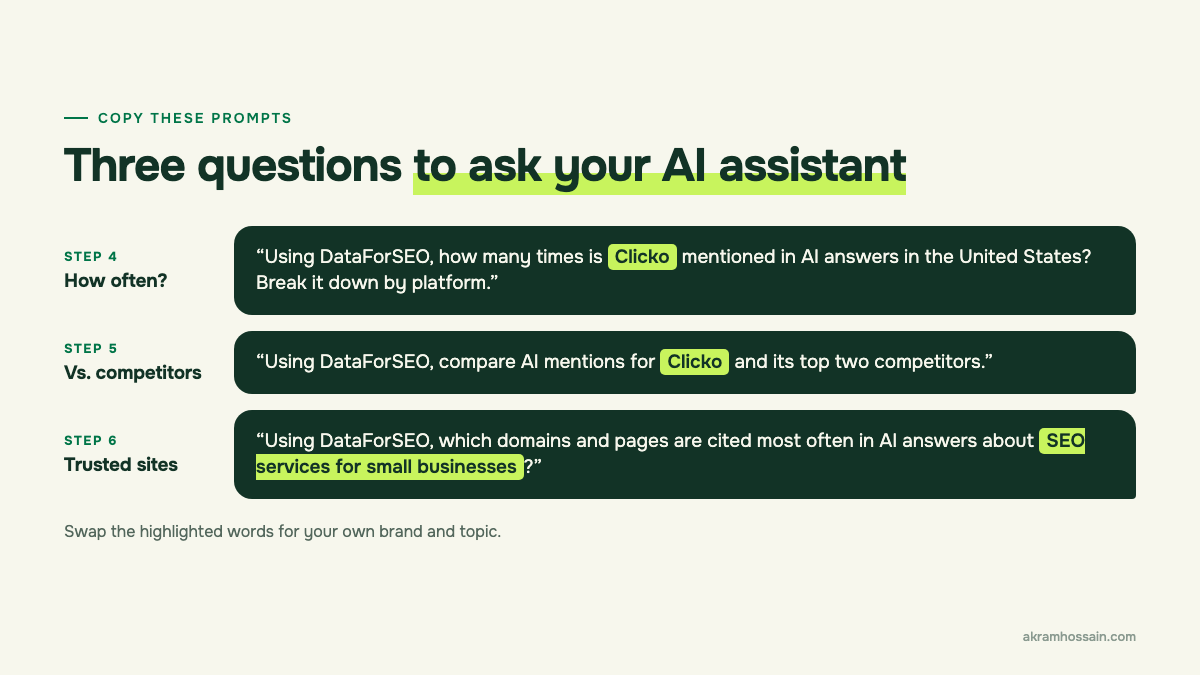
Now just ask Claude something like this (swap in your own brand name):
“Using DataForSEO, how many times is Clicko mentioned in AI answers in the United States? Break it down by platform.”
What to look at:
- Total mentions — your baseline number.
- Which platforms mention you, and which ones don’t. It’s common to show up in Google AI Overviews but not in ChatGPT, or the other way round.
Step 5: Compare yourself with competitors
Next, ask:
“Using DataForSEO, compare AI mentions for Clicko and its top two competitors.”
This shows you your share of voice. If a competitor has three times your mentions, that’s a clear signal.
Step 6: Find the websites AI trusts in your niche
Then ask:
“Using DataForSEO, which domains and pages are cited most often in AI answers about SEO services for small businesses?”
Look for patterns. Are the same review sites, directories or blogs showing up again and again? Those are the places you want your brand to appear.
Step 7: Save your results as a baseline
Copy the numbers into a simple Google Sheet — date, total mentions, mentions per platform, and your competitors’ numbers.
Run the same check once a month. That’s how you’ll know if your work is actually moving the needle.
How to read your first results
Your first report can feel like a wall of numbers. Here’s what I look at first, in this order:
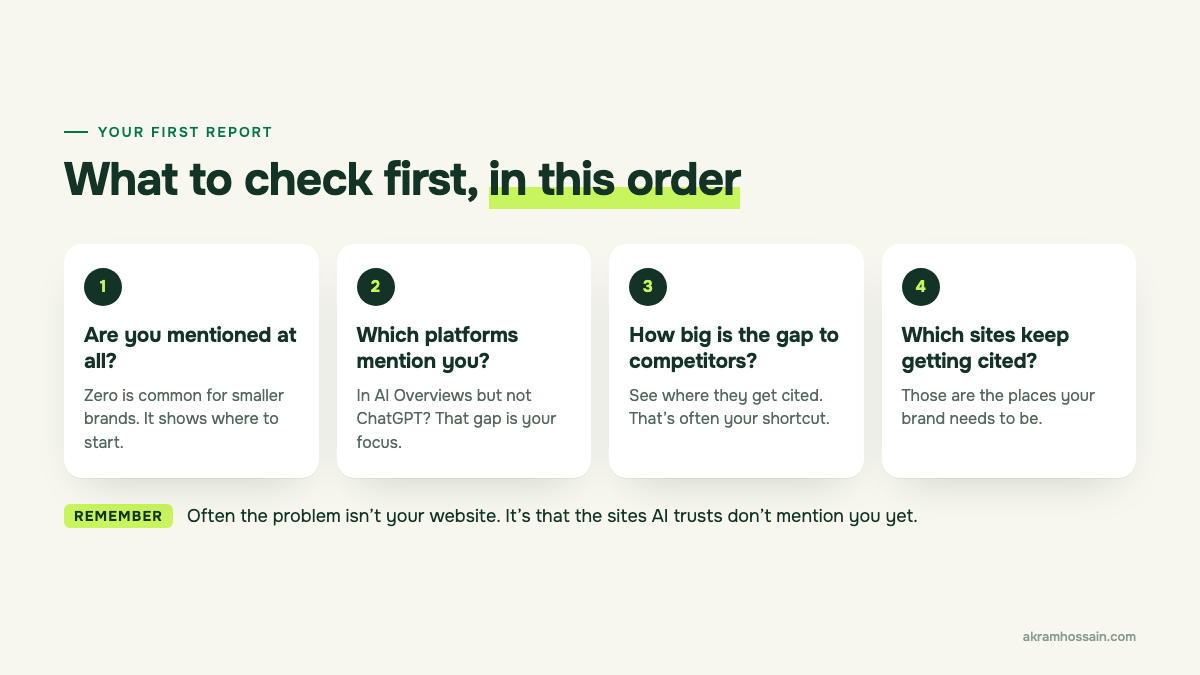
- Are you mentioned at all? If the answer is zero or close to it, don’t panic. That’s common for smaller brands. It simply shows you where to start.
- Which platforms mention you? You might show up in Google AI Overviews but not in ChatGPT. That gap tells you where to focus.
- How big is the gap to your competitors? If a competitor gets far more mentions, look at where they’re being cited. That’s often your shortcut.
- Which sites keep getting cited? If the same few review sites, directories or blogs appear again and again, those are the places your brand needs to be.
The big lesson: Often the problem isn’t your website at all. It’s that the websites AI trusts don’t mention you yet. And that’s something you can fix.
What to do with the data (this is where the real work starts)
Numbers alone don’t help anyone. Here’s how I turn them into a plan.
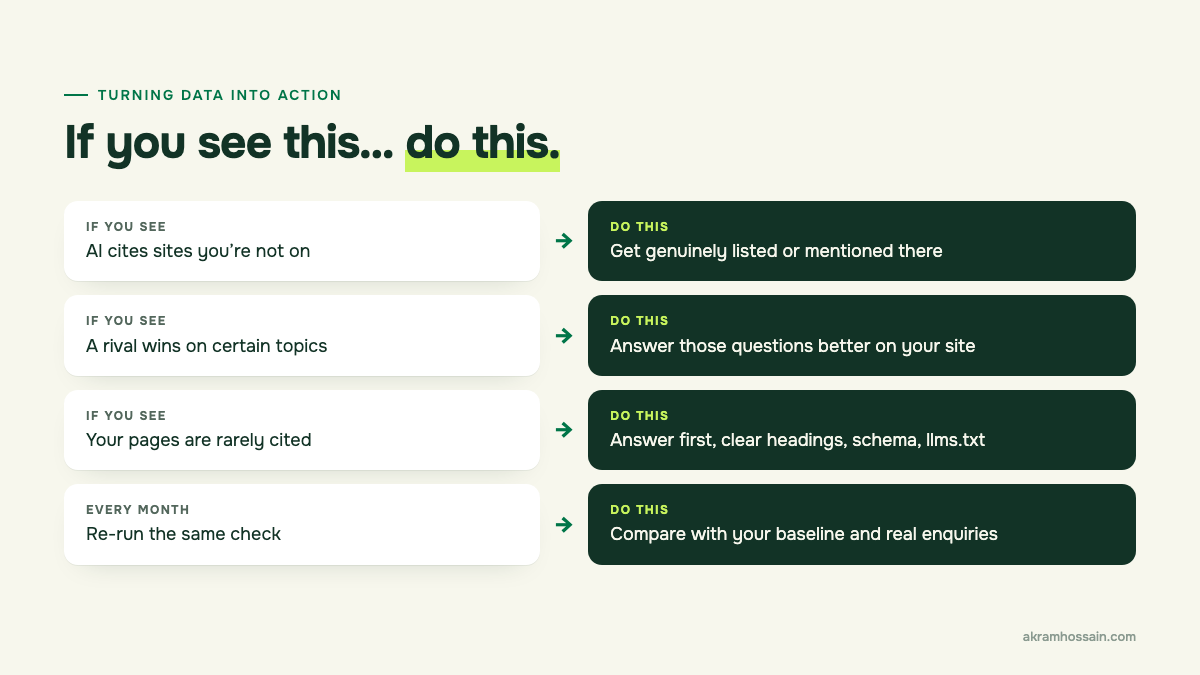
If AI cites sites you’re missing from → Get listed or mentioned on them. That might mean industry directories, review sites, guest articles or genuine PR. No paid fake mentions — they don’t last.
If a competitor gets mentioned more on certain topics → Look at what they’ve published on those topics, and what you haven’t. Then create pages that answer those questions better and more clearly.
If your own pages are rarely cited → Make your content easier for AI to use:
- Put the answer at the top of each section (like I did in this post).
- Use clear headings that match the questions people ask.
- Add proper schema markup.
- Add an llms.txt file — I wrote a full guide on llms.txt with Rank Math.
- Make sure AI crawlers aren’t blocked in your robots.txt.
Every month → Re-run your check and compare it with your baseline. And tie it back to real results — enquiries, calls, sales — not just mention counts.
How much does it cost?
DataForSEO is pay-as-you-go. You add money to your account and it’s used up as you pull data. There’s no monthly subscription for the API itself.
How much you spend depends on how many brands, competitors and topics you check. You can see the exact price of each request on DataForSEO’s pricing page, and your dashboard shows what you’ve spent so far, so there are no surprises. The free trial lets you test it before you add any money.
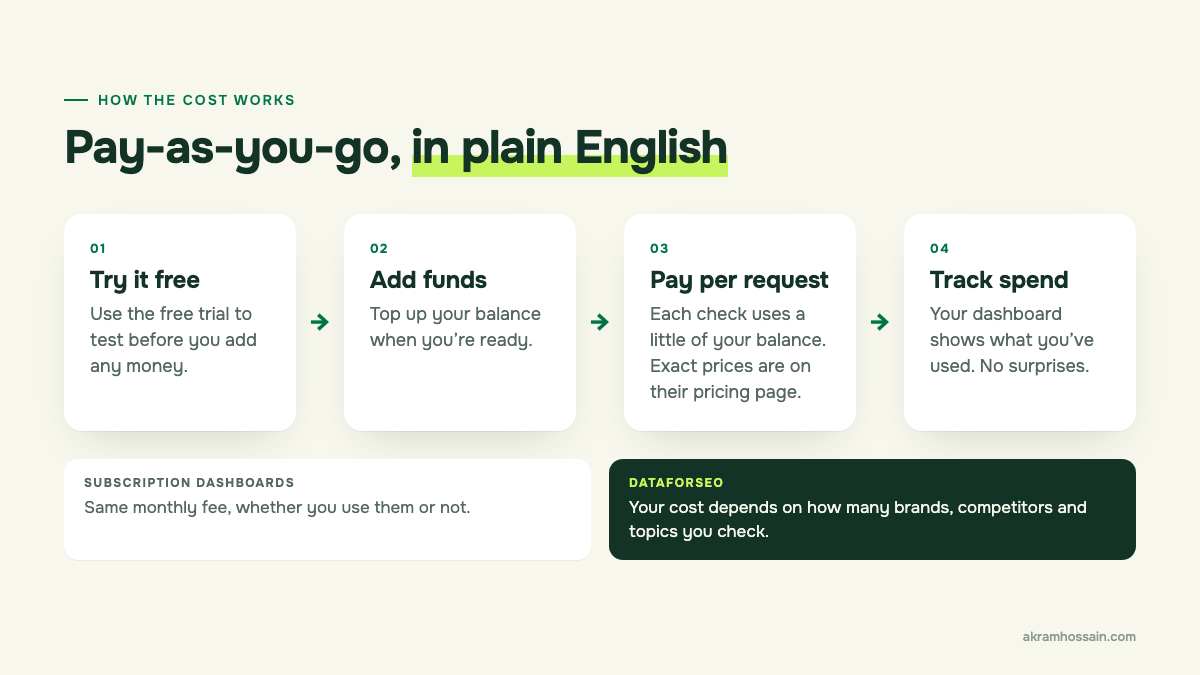
To compare: most ready-made AI-visibility dashboards charge a monthly subscription. They’re easier to use, but you pay whether you use them or not.
My take: if you only need a monthly check, DataForSEO is very budget-friendly. If your team wants a dashboard to log into every day, a subscription tool may be worth it.
A few things to keep in mind
I want you to go in with realistic expectations, so here’s the honest part:
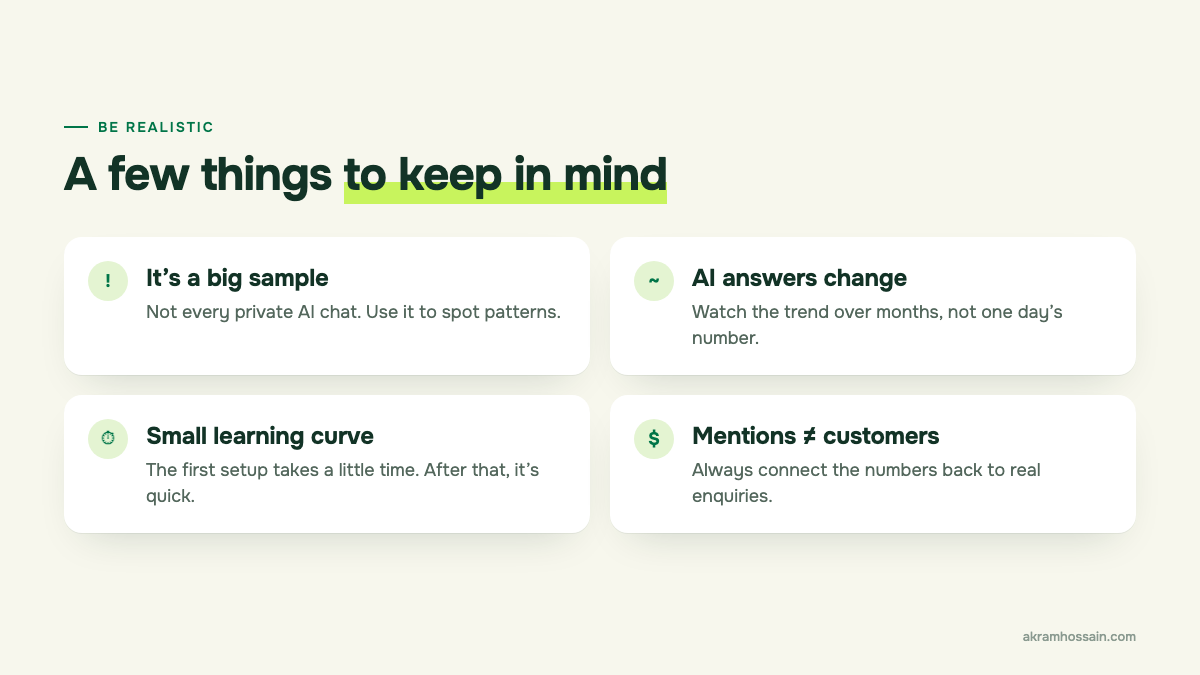
- It’s a big sample, not every conversation. DataForSEO’s database is huge, but no one can see every private chat people have with AI.
- AI answers change. Watch the trend over months, not one day’s number.
- There’s a small learning curve. The first setup takes some time. After that, it’s quick.
- Mentions aren’t the same as customers. Being mentioned is a good sign, but always connect it back to real enquiries.
FAQ
Is DataForSEO free?
Not fully. They offer a free trial so you can test it. After that, it’s pay-as-you-go — you only pay for the data you use.
Can I track ChatGPT mentions without coding?
Yes. Connecting DataForSEO to Claude (or another AI assistant) through their MCP connector lets you ask questions in plain English. No code needed.
How is this different from Semrush or Ahrefs?
Semrush and Ahrefs give you ready-made dashboards with a monthly subscription. DataForSEO gives you the raw data and charges per use. More flexible and often cheaper, but less polished out of the box.
How often should I check my AI visibility?
Once a month is enough for most businesses. AI answers shift, so a monthly trend is more useful than daily checks.
Can you guarantee my brand will show up in AI answers?
No — and be careful of anyone who does. AI tools decide what to say and what to cite. What I can do is improve the things that make you easier to find, trust and cite, and measure whether it’s working.
Want to know where your brand stands?
If you’d rather not set this up yourself, I’m happy to help. I’ll run this check for your business, compare you with your competitors, and turn the results into a simple, clear plan — what to fix first, and why.
Get an AI SEO audit ↗ or book a 1:1 call ↗ and let’s take a look together.